
Break It
Play Count0
Published2025-06-24
Supported DevicesPC
CategoryArcade & Classic
Rating★★★★★5.0Rate this game
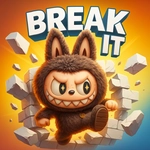
📝Break It Overview
Smash down hard, release at the last millisecond, and watch those obstacles shatter while you barely dodge the saw blade.
💬What is Break It?
You hold the left mouse button and a heavy block (or maybe a fist? I'm not exactly sure what you control) smashes straight down. Release and it stops instantly. That's the whole move set, but the levels throw rotating spikes, swinging blades, and narrow gaps at you fast. The first time I tried to power through a spinning saw blade, I got clipped and my smasher froze for a full second — that delay is brutal because you need to keep a rhythm going. The physics feel weighty, so each successful hit has a satisfying crunch that you can almost feel through the mouse.
What kept me coming back was the way the game forces you to read two things at once: what you're smashing and what's about to slide into your path. Obstacles aren't just visual noise — they reset your progress or destroy your smasher if you touch them while holding down. You'll learn to pulse the mouse button instead of holding, because a short smash is easier to bail out of. The difficulty ramps up fast, and some later sections have these nasty zigzag barriers where you have to thread the needle between two obstacles while still breaking blocks. It's a pure reflex test with no story, no upgrades, just you and your timing. Perfect for five-minute rage sessions.
👥How to Play Break It
Hold Left Mouse Button: Smash downward
Release: Stop smashing to avoid obstacles
✨Game Tips
Pulse the mouse button instead of holding it down — short smashes let you react faster to incoming blades.
Watch the spinning obstacles' rotation pattern; they often pause for a split second before reversing direction.
Focus on clearing the center blocks first, since side obstacles tend to drift inward and block your escape route.
Don't chase after every block. If a cluster is guarded by two hazards, skip it and come back when the path opens.
If you get stunned, mash the release button immediately and wait for the screen to settle before smashing again.
Try to keep a steady beat in your head — the game's rhythm helps you time releases to the gap between hazards.
🔧FAQ
Q: Is Break It free to play?
A: Yes, Break It is completely free to play online with no downloads or hidden payments.
Q: Can I play Break It on my phone or tablet?
A: The game works in any modern browser, and touch controls are supported on mobile devices.
Q: Do I need to download anything to play Break It?
A: No downloads are required. Just open the game page in your browser and it runs instantly.
Q: What are the controls for Break It?
A: Hold the left mouse button to smash downward. Release the button to stop smashing and avoid obstacles.
Q: Why does my smasher sometimes get stuck or freeze?
A: If you touch an obstacle while smashing, you'll get stunned briefly. Release early to avoid this penalty.
Q: Is Break It a good game for quick breaks?
A: Absolutely. Each attempt lasts a minute or two at most, making it ideal for short bursts between tasks.