
Brickbox
Play Count0
Published2024-11-22
Supported DevicesPC + Mobile
CategoryArcade & Classic
Rating★★★★★5.0Rate this game
📝Brickbox Overview
Slide through a grid of bricks, one careful step at a time, and slip past every block before the walls close in.
💬What is Brickbox?
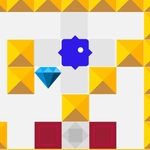
Brickbox drops you onto a tight grid where every move counts. You tap or click any adjacent grey square and your little block hops one cell at a time — no diagonals, no sliding through gaps unless they're actually open. On desktop the arrow keys do the same job, and honestly that's the way I ended up playing most: it feels snappier when you're trying to thread a path between moving bricks. The core loop is dead simple, but the layouts get sneaky fast. One wrong step and you're boxed in with no moves left, staring at a screen that quietly resets you to the start.
What kept me coming back was how much the game punishes impatience. You'll spot a route three tiles long, dash for it, and realize you've trapped yourself because a brick shifted one space over. The real trick is reading the whole board before you commit — something I'd forget after every third attempt. There's no timer, no score pressure, just you versus the brick arrangement. It's the kind of minimal arcade brain-teaser that works in a five-minute break but still has you muttering "one more go" when you fail the same puzzle for the tenth time.
The visual style is bare-bones grey and brick-red, which suits the mechanics perfectly. No distracting effects, no music blaring — just clean moves and a board that resets with a quick fade. If you like old-school grid puzzlers with a modern touchscreen twist, this one's worth a spin. Just don't blame me when you start planning moves in your sleep.
👥How to Play Brickbox
Touch Controls (Android/iOS)
Arrowkeys (PC/Mac)
Controls: Players can move up, down, left, or right, one cell at a time, using touch controls.
- Touch/click the grey area around the player to move.
- Use arrowkeys on keyboard.
✨Game Tips
Scan the whole board before your first move — those bricks don't reset until you fail, so your initial path matters.
Try to keep at least two open adjacent squares within reach at all times; one wrong hop into a corner is game over.
On desktop, use arrow keys instead of clicking — you can move faster and correct course mid-thought.
If a route looks too direct, it probably is. Brickbox loves baiting you into corridors that close behind you.
Use the reset button without shame; sometimes the real puzzle is recognizing you messed up three moves ago.
Pay attention to which bricks move when you step — some patterns repeat and can be predicted after a few failures.
🔧FAQ
Q: Is Brickbox free to play?
A: Yes, completely free with no paywalls or hidden costs.
Q: Can I play Brickbox on my phone?
A: Absolutely. Touch controls work on Android and iOS — just tap the grey area around your block.
Q: Do I need to download anything to play Brickbox?
A: No downloads. It runs right in your browser as an HTML5 game.
Q: Does Brickbox work with a keyboard?
A: Yes, arrow keys move your block one cell at a time on PC or Mac.
Q: Is Brickbox suitable for kids?
A: Yes, it's non-violent and easy to learn, though some later puzzles can frustrate younger players.
Q: How do I restart a level in Brickbox?
A: If you get stuck, just refresh the page or trigger a reset if the game offers one on screen.