
Bridge Stick
Play Count0
Published2022-11-21
Supported DevicesPC + Mobile
CategoryArcade & Classic
Rating★★★★★5.0Rate this game
📝Bridge Stick Overview
Extend a wobbly stick across deadly gaps and hope it holds—Bridge Stick turns every tap into a nail-biter.
💬What is Bridge Stick?
I fired up Bridge Stick expecting a quick two-minute distraction. Twenty minutes later, I was still muttering at my screen, convinced the next gap was just slightly narrower than it looked. That’s the trap—every run feels beatable, even when it absolutely isn’t.
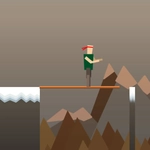
The mechanics are stripped down to one action: press and hold to grow a wooden stick from the edge of your platform. Let go and it drops forward, hopefully bridging the gap to the next island. The walking part plays itself, so all your brainpower goes into one question—how long is long enough? Get it wrong and your little stick figure tumbles into the void with a faint poof. The reset is nearly instant, which is both a blessing and a curse because you'll immediately try again.
I found a weird rhythm after a while. Short gaps need quick taps, medium gaps need a count of two, and long gaps are pure faith. The platforms start shifting and shrinking, adding just enough chaos to keep you honest. It's not a game about reflexes; it's about eyeballing distances and trusting your gut. Bridge Stick nails that one-more-try itch perfectly.
👥How to Play Bridge Stick
Tap on the screen to play this game.
✨Game Tips
Don't aim for the center of the next platform; landing on the near edge still counts and gives you more room for error.
The stick grows at a constant speed, so mentally count as you hold—it turns distance judgment into rhythm.
On moving platforms, release a hair early so the stick falls onto the platform as it slides beneath.
Watch the character's walking animation—if they lean forward too much, the stick is too short.
Some gaps have a subtle shadow line on the far platform; treat that as your minimum target.
🔧FAQ
Q: Is Bridge Stick free to play?
A: Yes, completely free in your browser with no paywalls or in-app purchases.
Q: Do I need to download anything to play Bridge Stick?
A: No download needed. It runs directly in any modern web browser with HTML5 support.
Q: Can I play Bridge Stick on mobile?
A: Absolutely. The tap-to-extend control works perfectly on touchscreens, and the game adapts to small screens well.
Q: What's the trick to crossing very long gaps?
A: Hold until the stick is almost as long as the entire screen width, then release just as it touches the far edge. Too long and you'll overshoot.
Q: Is Bridge Stick available offline?
A: It's browser-based, so you need an internet connection to load the page, but once loaded it generally stays playable.
Q: How do I restart quickly after a fall?
A: The game resets automatically within a second of falling—no buttons needed, just keep your finger ready.