
Brikzo
Play Count0
Published2026-08-10
Supported DevicesPC
CategoryAction & Fighting
Rating★★★★★5.0Rate this game
📝Brikzo Overview
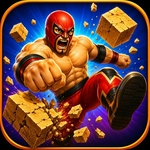
Smash stacked boxes from the side and pray you don't set off a chain reaction in Brikzo.
💬What is Brikzo?
You wouldn't think a screen full of boxes could be this tense. But Brikzo makes every click count. You're staring at a grid of tightly packed boxes, and your only job is to click the side of each one to bash it out of the way. Left side, right side, top, bottom — it doesn't matter as long as you hit the flat edge, not the face. The problem? The boxes are often wedged against each other, so a single tap can send a box sliding into its neighbors. That's where the chain reactions start, and sometimes that's great — you clear half the level in one go. Other times you trigger a cascade that smashes a box you were saving as a step for the one above it.
What kept me clicking was the precision. The hitboxes are intentionally unforgiving; you need to line up your cursor on the thin side of a box, not the front. I had a run where I was one box away from clearing a level and clicked the corner by accident — the box spun but didn't leave. That's the kind of small failure that makes you immediately hit restart. Visually it's clean and simple: no distracting HUD, just boxes and the sound of a solid bash when you connect. The later layouts get stacked high enough that one wrong tap undoes thirty seconds of careful work.
If you're the type who gets stubborn about shaving milliseconds off each click, Brikzo will scratch that itch. I started out trying to clear everything fast and ended up learning that a slow, deliberate click on the correct side beats a panicked double-click every time. You can't brute-force it — the side hitboxes won't let you.
👥How to Play Brikzo
Click on the side of boxes to bash them!
✨Game Tips
• Aim for the thinnest exposed side, not the face — face clicks do nothing.
• Pause before clicking near a corner; those spots rarely register as a bash.
• Let a box slide into a neighbor if it clears two targets, but only if you can still reach the next side.
• When the stack gets tall, slow down and click deliberately instead of panicking.
• Treat a missed click as a reset trigger, not a reason to mash the mouse.
• Watch how the whole row shifts after each hit before choosing your next side.
🔧FAQ
Q: Is Brikzo free to play?
A: Yes, Brikzo is completely free in your browser. No hidden fees or subscriptions.
Q: Do I need to download anything to play Brikzo?
A: No downloads. It runs directly as an HTML5 game in any modern web browser.
Q: Can I play Brikzo on my phone?
A: Yes, the controls work with touch. Tap the side of the box to bash it on mobile.
Q: What are the controls in Brikzo?
A: Just your mouse or finger. Click or tap the flat side of a box, not the front face.
Q: Can I play Brikzo at school?
A: Yes, Brikzo is an unblocked game, so it should work on most school networks.
Q: Does Brikzo save my high score?
A: High score saving depends on the site hosting it. Most versions track your best run locally.