
Brown Cave Escape
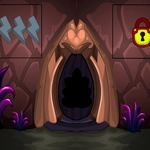
📝Brown Cave Escape Overview
Stuck in a brown cave with nothing but a mouse and your wits? Click absolutely everything until the exit decides to cooperate.
💬What is Brown Cave Escape?
I won't pretend Brown Cave Escape reinvents the wheel. You're stuck in a cave, it's brown, and your only tool is a mouse cursor that pokes at every pixel like a bored kid with a stick. That's the charm, though. The game leans hard into that classic point-and-click escape formula: hover over a suspicious ledge, hear a faint click, and suddenly a loose stone slides away to reveal a rusty key. You'll spend most of your time squinting at shadows, dragging inventory items onto odd-shaped sockets, and second-guessing whether that weird rock formation is actually a button.
What got me was the pacing. It doesn't hold your hand. You'll click a dozen dead ends before stumbling onto the one interactive hotspot that actually matters. There's a moment where you think you've exhausted every corner, then you realize the cave painting you ignored for ten minutes is actually a clue for a combination lock on a crate. Little "aha" moments like that keep you going. The brown palette is monotonous, sure, but it forces you to notice subtle texture changes — a slightly darker patch of dirt hides a trapdoor, a smooth pebble among jagged stones is the key to a puzzle.
Just don't expect a deep story. You're escaping a cave, and that's it. But for a quick coffee-break brain teaser, it scratches the itch. I kept coming back after failed attempts because the puzzles feel fair once you spot the logic, never pixel-hunt impossible. If you enjoy old-school escape rooms like The Crimson Room, you'll feel right at home. Bring patience, click everything twice, and don't be afraid to combine random items in your inventory. Sometimes the silliest pairing is the answer.
👥How to Play Brown Cave Escape
Mouse Interact
✨Game Tips
Hover your cursor over every single crack and discolored rock — hotspots sometimes only highlight after a second.
Try combining inventory items by dragging one onto another, even if it seems weird. That stick might be a lever handle.
If a puzzle locks you out, reset the room by clicking the same hotspot twice; some switches toggle.
Write down any numbers or symbols you see on walls, crates, or floor patterns. They'll come back later.
Sometimes dragging an item across a suspicious spot works better than a single click — drawers and loose stones need a pull.
Check the title screen before you start. It sometimes shows a hidden map or hint that saves ten minutes of wandering.
🔧FAQ
Q: Is Brown Cave Escape free to play?
A: Yes, it's completely free in your browser. No coins or paywalls pop up to ruin the cave vibe.
Q: Can I play Brown Cave Escape on my phone or tablet?
A: Yes, the HTML5 version works on mobile browsers, though clicking tiny hotspots is easier with a mouse or stylus.
Q: Do I need to download anything to play Brown Cave Escape?
A: No downloads or plugins needed. Just open the page, click Play, and you're already staring at cave walls.
Q: How long does it take to beat Brown Cave Escape?
A: Most players finish in 15-30 minutes. It's a short escape room, perfect for a break, not a full afternoon.
Q: Does Brown Cave Escape save my progress automatically?
A: No, it doesn't save. If you close the tab, you'll start over, so try to finish in one sitting.
Q: I'm stuck on a puzzle in Brown Cave Escape. Any help?
A: Click every rock twice, combine items from your inventory in weird ways, and look for repeated symbols or numbers on cave walls.