
BTS Cars Coloring
Play Count0
Published2019-12-23
Supported DevicesPC + Mobile
CategoryArcade & Classic
Rating★★★★★5.0Rate this game
📝BTS Cars Coloring Overview
Grab a virtual brush, pick a color, and turn plain cars into rolling masterpieces one tap at a time—no mess, no art school.
💬What is BTS Cars Coloring?
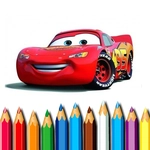
Coloring games tend to get thrown into the kids' pile and ignored, but I'll admit I lost a good twenty minutes to BTS Cars Coloring before I realized the time. The core loop is simple: you get a clean car outline, a row of colors at the bottom, and an empty canvas waiting. Tap a color, tap a section, and it fills instantly. There's no penalty for mistakes, no timer, no wrong answers. Just you, a bunch of car shapes, and the quiet satisfaction of seeing a plain line drawing turn into a flame-painted racer or a pastel beach cruiser.
What actually hooked me is how the cars aren't just one generic sedan. There are different silhouettes—sports cars with aggressive spoilers, boxy SUVs, maybe even a bus or two. Each section is separated cleanly, so when you tap the hood, it doesn't bleed into the windshield. The palette leans bold: electric blues, hot pinks, neon greens. You can go realistic all-black, or make a rainbow unicorn-mobile. Nobody's judging. I found myself zooming in (or at least mentally mapping) to color the tiny side mirrors without overlapping, and that little bit of precision is what makes it more than a mindless tap-fest.
It runs instantly in a browser, no download, no login. Mouse works, touch works. Kids will love the bright colors and easy controls. Adults looking for a brain break will appreciate the low-stakes creativity. My only gripe: I wish there were more car designs, because after a while you've seen them all. But for a free unblocked coloring game, it does exactly what it promises—gives you a garage full of vehicles and lets you make them yours.
👥How to Play BTS Cars Coloring
Mouse or tap to play.
✨Game Tips
Start with the small, fiddly bits—mirrors, wheels, exhaust pipes—before filling the big body panels so you don't lose track of edges.
Don't be afraid to restart a car with a completely different palette; there's no penalty and the contrast can surprise you.
If the game lets you zoom or scroll, use it for tight corners like spoilers and grilles where two sections almost touch.
Try a monochrome look with one accent color on the rims—it turns a basic outline into something that looks almost professionally concepted.
Play on a tablet or phone if you can; tapping with a finger feels more natural than mouse clicks for quick color changes.
🔧FAQ
Q: Is BTS Cars Coloring free to play?
A: Yes, it's completely free and runs right in your browser with no hidden fees or subscriptions.
Q: Can I play BTS Cars Coloring on my phone?
A: Absolutely. The game supports touch controls, so it works on iOS and Android devices without needing an app.
Q: Do I need to download anything to start playing?
A: No downloads required. Just open the page, wait for it to load, and start coloring.
Q: Does BTS Cars Coloring save my work?
A: It usually doesn't save progress between sessions, so finish or screenshot your car before closing the tab.
Q: Is this game okay for young kids?
A: Yes, it's kid-friendly with no violence or inappropriate content—just coloring and cars.
Q: What if I click the wrong color on a section?
A: Just pick a new color and tap that section again. You can change any part as many times as you like.