
BTS GTA Cars Coloring
Play Count0
Published2019-09-26
Supported DevicesPC + Mobile
CategoryPuzzle & Thinking
Rating★★★★★5.0Rate this game
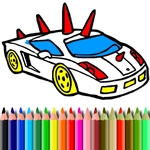
📝BTS GTA Cars Coloring Overview
Grab your digital paintbrush and turn plain car outlines into neon street machines in BTS GTA Cars Coloring.
💬What is BTS GTA Cars Coloring?
If you've ever wanted to repaint a Lambo in bubblegum pink without getting yelled at by the owner, this coloring book's got you covered. You pick a car sketch—anything from a lowrider to a police cruiser—and start clicking. The fill tool snaps to closed regions, so even if your mouse hand shakes, you won't color outside the lines. There's no timer, no score, no wrong color. Just you, a palette, and a car that desperately needs a makeover.
What surprised me was how satisfying the small details become. I spent ten minutes deciding between matte black and dark purple for the wheel arches of a sports coupe. Then I accidentally clicked the wrong panel and the whole hood turned electric blue. Turns out that "mistake" looked better than anything I had planned. The game doesn't save your work unless you screenshot it, so make peace with losing your creation when you refresh. That's part of the charm—it's a no-stakes creative sandbox.
You'll find a decent selection of vehicles, but the real fun is mixing weird color combos. Neon green roof on a taxi? Sure. Chrome gold bumpers on a monster truck? Absolutely. It's the kind of game you open for five minutes and suddenly forty have passed. Perfect for when you need to zone out or just want to see what a purple and orange GTA-style muscle car would look like.
👥How to Play BTS GTA Cars Coloring
Mouse or tap to play.
✨Game Tips
Start with the wheels—dark grays and blacks make the body color pop way more.
Use the zoom button if your eyes glaze over on door handles and grilles.
The fill tool only works on closed areas, so if a section won't color, look for a tiny gap in the outline.
Don't sleep on the neon palette; a normal sedan becomes a cyberpunk ride with lime green and hot pink.
Click the same section twice to cycle through your recent colors without reopening the palette.
Take a screenshot of your finished car—there's no in-game gallery and you'll lose it on refresh.
🔧FAQ
Q: Is BTS GTA Cars Coloring free to play?
A: Yes, it's completely free with no hidden paywalls or premium colors.
Q: Can I play BTS GTA Cars Coloring on my phone?
A: Yes, it works on mobile browsers and you just tap to fill areas.
Q: Do I need to download anything to play?
A: No download needed—just open the game in your browser and start coloring.
Q: Is BTS GTA Cars Coloring safe for kids?
A: Yes, it's a non-violent coloring game with no ads or inappropriate content.
Q: How do I change colors in BTS GTA Cars Coloring?
A: Click or tap a color from the palette, then click or tap the car section you want to fill.
Q: Can I save my finished car artwork?
A: The game doesn't have a save feature, but you can take a screenshot on your device.