
BTS Minecraft Coloring Time
Play Count0
Published2026-05-01
Supported DevicesPC + Mobile
CategoryKids & Educational
Rating★★★★★5.0Rate this game
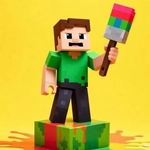
📝BTS Minecraft Coloring Time Overview
Grab your virtual crayons and turn blocky BTS scenes into colorful masterpieces—no mess, just pure coloring fun.
💬What is BTS Minecraft Coloring Time?
You know those moments when you just want to switch your brain off and color something? This is that, but with blocky BTS members staring back at you. No paint buckets to knock over, no crayon wax under your nails. Just you, a mouse, and a grid of blank Minecraft-style scenes.
The setup is straightforward: pick one of the BTS-themed pages from the side tray. Each page has outlines—some simple, some surprisingly fiddly around the jackets and hair. Your palette sits below, loaded with every shade you'd expect plus a few oddballs. Click a color, then click a region. That's it. I spent way too long on Jimin's jacket because the burgundy next to the dark navy looked almost identical on my screen. A real player detail: the fill doesn't always register if you click the black outline by mistake, so aim for the middle of each area.
Don't expect color-by-number. It's freeform, so you can make Suga's hair neon green or keep it classic. There's no timer, no score, no unlock system nagging you. That's the charm. If a kid wants to color the same page three times in a row, nothing stops them. If an adult wants to zone out during lunch, same deal. The only downside? There's no save button, so if you close the tab mid-masterpiece, you're starting over. I learned that the hard way.
Controls are pure mouse: hover, click, repeat. On a touchscreen it works too, but dragging your finger across small cells can get finicky—nothing a stylus won't fix. The pages load quick, no sign-ups, no lag. Just remember your color choices are final per region until you use the reset. So plan your palette like you mean it.
👥How to Play BTS Minecraft Coloring Time
Mouse to play.
✨Game Tips
Click dead center on a section—hitting the black outline won't fill anything.
Test colors on a scrap area first, especially the dark blues and purples.
Use the reset button before restarting a page; it clears all fills at once.
Work from top to bottom so your arm doesn't smear the mouse path on a touchscreen.
Leave small details like eyes and buttons for last when your hand is steadiest.
No save exists, so finish in one sitting or screenshot your progress.
🔧FAQ
Q: Is BTS Minecraft Coloring Time really free?
A: Yes, it's completely free to play in your browser—no hidden fees or subscriptions.
Q: Can I play BTS Minecraft Coloring Time on my phone?
A: It works on mobile browsers, but a stylus or larger screen makes precise clicks much easier.
Q: Do I need to download BTS Minecraft Coloring Time?
A: No downloads needed. The game runs instantly on any modern browser with HTML5.
Q: Is BTS Minecraft Coloring Time safe for kids?
A: Absolutely. It's a non-violent coloring activity with no chat or external links.
Q: What if I accidentally mess up a color?
A: Use the reset button to clear the entire page and start that scene again from scratch.
Q: Does BTS Minecraft Coloring Time save my finished pages?
A: No, there's no save feature. Screenshot your work before closing the tab if you want to keep it.