
BTS Noob Coloring Book
Play Count0
Published2022-11-14
Supported DevicesPC + Mobile
CategoryArcade & Classic
Rating★★★★★5.0Rate this game
📝BTS Noob Coloring Book Overview
Pick up every shade in the box and turn plain BTS Noob sketches into loud, proud masterpieces — no art skills required.
💬What is BTS Noob Coloring Book?
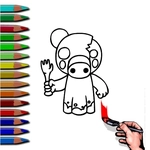
Coloring books hit different when the subject is a blocky little Noob in a bucket hat throwing up a heart sign. BTS Noob Coloring Book is exactly what it sounds like: a handful of clean line-art pages starring goofy Noob characters dressed like your favorite K-pop icons. You get a palette of solid colors along the bottom, a big white canvas in the middle, and a mouse cursor that acts like a digital paintbrush. Click a color, then click a section — the fill snaps into place instantly, so you don't have to worry about staying inside the lines. That's the whole loop, and honestly? It's weirdly calming after a few rounds of something sweaty.
I spent way too long on one page because I wanted the background to match the little guy's sneakers. There's no undo button (at least none I found), so you have to commit to your choices. If you mess up, you just pick another color and cover it. The pages have big open areas — good for testing palettes — and small details like the BTS logo on a hoodie or tiny stars around the character's head. Younger kids can handle it easily, but there's enough blank space that you can get creative with gradients if you layer colors. It's not going to replace a proper art app, but for a quick brain break, it does the job.
👥How to Play BTS Noob Coloring Book
Mouse to play.
✨Game Tips
Click the color swatch first, then click the area you want to fill — double-click does nothing here.
Zoom in if your browser lets you (Ctrl + scroll) to hit tiny details like belt buckles and buttons without spilling over.
Use the background to anchor your palette: pick the biggest section first, then match smaller pieces to it.
There's no timer or score, so take your time — the only wrong move is quitting before you finish.
If you don't like a color, just click a new one over the same area; it overwrites the old fill.
Save a screenshot (PrtScn or F12) when you finish so you can show off your BTS Noob masterpiece.
🔧FAQ
Q: Is BTS Noob Coloring Book free to play?
A: Yes, it's completely free in your browser. No paywalls or hidden fees.
Q: Do I need to download anything to play BTS Noob Coloring Book?
A: No downloads needed. It runs in any modern browser using HTML5.
Q: Can I play BTS Noob Coloring Book on mobile?
A: Yes, it works on phones and tablets. The touchscreen acts like your mouse for tapping colors.
Q: What do I need to play BTS Noob Coloring Book?
A: Just a browser and a mouse or touchscreen. No special plugins or fast internet required.
Q: How do I save my coloring page in BTS Noob Coloring Book?
A: The game doesn't have an in-game save button. Take a screenshot with your device or use PrtScn.
Q: Is BTS Noob Coloring Book safe for kids?
A: Absolutely. It has no violence, ads, or chat features, just simple coloring fun.