
Build A Truck
Play Count0
Published2022-05-19
Supported DevicesPC + Mobile
CategoryManagement & Simulation
Rating★★★★★5.0Rate this game
📝Build A Truck Overview
You've got a pile of parts, a rolling chassis, and a blank canvas for a big rig—what do you build first?
💬What is Build A Truck?
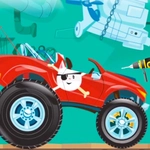
Build A Truck drops you in front of a bare frame and a wall of options—engines, cabs, wheels, paint jobs, exhaust stacks, the works. It's not a racing game, it's a garage sandbox. You tap or click pieces and they snap onto the chassis one at a time. I kept swapping between a sleeper cab and a flatbed just to see how the silhouette changed. The fun isn't speed; it's picking a ridiculous color combo and realizing you accidentally built a monster truck that looks like a candy wrapper.
The controls are honest; no hidden menus, just mouse or tap. Every part sits in a simple tray at the bottom of the screen. Drag a set of dual rear wheels onto the frame and they lock with a satisfying clunk. You can strip it all back and start over whenever. I spent longer than I'd like to admit trying to figure out if you can mount the cab backwards—turns out you can, and it looks gloriously stupid. There's a preview window that rotates the truck so you can check the profile before finishing. That's the kind of touch that makes it feel like a real builder instead of a glorified sticker sheet.
If you have a kid who loves big vehicles or you just want five minutes of low-stakes tinkering, this hits. It's not deep, but it scratches the itch of assembling something from nothing. The finished truck doesn't drive off or race—it just sits there looking tough, which is somehow enough. I'd say it's perfect for a quick break between actual work.
👥How to Play Build A Truck
Mouse or tap to play.
✨Game Tips
• Start with the cab placement first; wheels can be swapped later without messing up the body lines.
• Use the rotate view after every major part so you don't end up with a roof scoop blocking your exhaust stack.
• Try the monster truck wheels with the long chassis—they clip through the fenders in the best way.
• Don't ignore the color palettes; some shades make the chrome parts pop harder than others.
• Save your favorite builds by screenshotting the preview screen since the game resets each session.
• Experiment with mismatched mirrors; one tiny red mirror on a black cab looks like a custom rig detail.
🔧FAQ
Q: Is Build A Truck free?
A: Yes, it's completely free to play in your browser with no paywalls or premium parts.
Q: Can I play Build A Truck on mobile?
A: Yes, the game supports tap controls so it works on phones and tablets.
Q: Do I need to download anything to play Build A Truck?
A: No download or installation is needed—just open the page and start building.
Q: What kind of game is Build A Truck?
A: It's a vehicle-building sandbox where you assemble a custom truck from a huge parts tray.
Q: Can I save my truck in Build A Truck?
A: The game doesn't have a save slot, so take a screenshot of your finished build if you want to keep it.
Q: Is Build A Truck suitable for kids?
A: Absolutely, there's no violence or time pressure; it's pure creative building.