
Bus Driving 3d
Play Count0
Published2022-01-28
Supported DevicesPC
CategoryArcade & Classic
Rating★★★★★5.0Rate this game
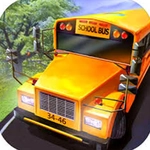
📝Bus Driving 3d Overview
Grab the wheel of a hulking city bus, thread through tight corners, and hope those parked cars have wing mirrors made of rubber.
💬What is Bus Driving 3d?
Bus Driving 3d throws you behind the wheel of a big, boxy transit bus — the kind that feels like steering a shipping container with mirrors. It's an arcade-style driving loop where the physics wobble just enough to make every turn a gamble. You're not following a real bus schedule; you're just trying to get from point A to point B without becoming a viral dashcam fail.
The keyboard controls are simple: arrows or WASD, plus a handbrake. But simple doesn't mean easy. I spent a solid ten minutes wedged against a concrete barrier because I forgot how long the rear overhang swings out when you turn. That's the sneaky part: you think you've cleared a corner, then the back end clips a lamppost and the game cheerfully tells you your bus is now a convertible. If you enjoy games like Desert Bus but want something less soul-crushing, this scratches that itch.
There's no deep progression or unlockable fleet — it's a pick-up-and-play arcade loop. And honestly, that's fine. Sometimes you just want to hear the engine drone, watch the speedometer creep up, and pretend you're a responsible public servant for five minutes. Just don't expect realistic passenger AI; they'll sit there silently judging your every lane change.
👥How to Play Bus Driving 3d
Keyboard Control
✨Game Tips
Brake before corners, not during — buses understeer like an oil tanker.
Use the mirror view if available to check your rear swing before turning tight.
Keep your speed around 30-40 on city streets; pedestrians and lampposts are less forgiving than you think.
Watch your front wheels: if they clear the curb, the bus follows, but your rear wheels cut the corner tighter.
Don't panic-brake on straightaways; smooth inputs keep the bus from fishtailing.
Tap the handbrake gently for sharp U-turns instead of holding it down.
🔧FAQ
Q: Is Bus Driving 3d free to play?
A: Yes, it's completely free in your browser. No hidden paywalls or premium passes.
Q: Can I play Bus Driving 3d on my phone?
A: It works best with a keyboard, but some mobile browsers support touch controls. Check if the game loads on your device.
Q: Do I need to download anything to play Bus Driving 3d?
A: No downloads needed. It runs as an HTML5 game directly on the website.
Q: What are the controls for Bus Driving 3d?
A: Use arrow keys or WASD to drive, spacebar for handbrake, and R to reset if you flip or get stuck.
Q: Does Bus Driving 3d have any missions or levels?
A: It's an open-ended arcade driving loop. You drive, avoid obstacles, and try not to crash.
Q: Why does my bus keep fishtailing when I turn?
A: You're likely steering too hard at high speed. Ease off the accelerator and turn gently.