
Bus Driving 3D - Simulation
Play Count0
Published2022-09-06
Supported DevicesPC
CategoryArcade & Classic
Rating★★★★★5.0Rate this game
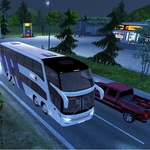
📝Bus Driving 3D - Simulation Overview
Grab the wheel of a massive bus and navigate tight city streets, mountain passes, and highway traffic without losing your cool—or your passengers.
💬What is Bus Driving 3D - Simulation?
You slide into the driver's seat of a city bus, engine idling, a full load of virtual passengers behind you. The first thing you notice is how heavy the steering feels—this isn't an arcade racer with twitchy controls. Every turn requires planning, every stop demands smooth braking. The 3D environments are surprisingly detailed for a browser game, with busy intersections, parked cars, and pedestrians who actually wait for you to stop.
The moment that got me hooked was a hill start on a crowded route. I stalled twice, rolled back a meter, and my passengers started grumbling. When I finally feathered the throttle and clutch just right, the bus lurched forward and the satisfaction was real. That tension between keeping schedule and driving safely is the core loop. You'll deal with traffic lights, roundabouts, and tight bus stops where a misjudged angle scrapes the curb. The scoring rewards punctuality but punishes rough driving, so you can't just floor it.
It's a solid pick for anyone who enjoys real driving physics without the complexity of a full simulator. The routes vary enough to keep things interesting, and while it won't replace a dedicated bus sim, it's perfect for a quick session between classes. Just don't expect to zone out—one missed exit and you're doing a three-point turn in a street too narrow for a bike.
👥How to Play Bus Driving 3D - Simulation
KeyBoard Controls
✨Game Tips
Brake early and gently—hard stops make passengers unhappy and tank your score.
Use the mirrors constantly; the camera defaults can hide your blind spots.
Learn the route before pushing for speed; sharp turns come up faster than you think.
Keep a steady throttle on hills to avoid stalling or rolling back.
Don't block intersections at red lights; you'll get fined and lose time.
Tap the horn sparingly in traffic—it actually helps clear cars sometimes.
🔧FAQ
Q: Is Bus Driving 3D - Simulation free to play?
A: Yes, it's completely free in your browser with no paywalls.
Q: Can I play Bus Driving 3D - Simulation on mobile?
A: Yes, it works on most mobile browsers, though keyboard controls are recommended.
Q: Do I need to download anything to play?
A: No downloads required—just load the page and start driving.
Q: What are the controls?
A: Use arrow keys or WASD to steer, accelerate, and brake. Spacebar is the handbrake.
Q: Is there a multiplayer mode?
A: No, it's a single-player experience focused on route completion.
Q: Does the game save my progress?
A: It saves your best scores and completed routes locally in your browser.