
Bus Parking 3D
Play Count0
Published2020-08-04
Supported DevicesPC
CategoryArcade & Classic
Rating★★★★★5.0Rate this game
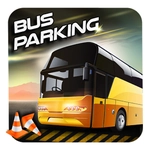
📝Bus Parking 3D Overview
Nothing tests your spatial awareness like reversing a 40-foot bus into a spot meant for a compact car—and Bus Parking 3D makes you do it over and over.
💬What is Bus Parking 3D?
I've parked virtual buses in everything from browser flash games to full simulators, and Bus Parking 3D still gets my palms sweaty. You're behind the wheel of a long, boxy people carrier, and the game expects you to thread it into spaces that look impossible on the minimap. The controls are deceptively simple: mouse to steer and on-screen pedals, but the real challenge is the camera angles. You'll catch yourself leaning in your chair trying to see the rear bumper.
The first time I nailed a parallel park between two yellow bollards without touching either, I actually exhaled. But then the next level drops you into a multi-story garage with a 90-degree turn you have to take at two miles per hour, and all that confidence evaporates. There's no timer, which is a blessing—you can creep inch by inch, but the scoreboard judges your final alignment. A half-degree off and you're replaying.
What keeps me coming back is the cruelty of the level design. Some spots are angled, some have pillars right where your mirror needs to be, and the bus's turning radius feels realistic enough that you'll start calculating pivot points. It's not a flashy game—no explosions, no speed boosts—just you, a bus, and a rectangle of painted asphalt that refuses to cooperate.
👥How to Play Bus Parking 3D
Use Mouse To Play and Keyboard
✨Game Tips
Use the overhead camera when backing up, then switch to side view for the final inch.
Creep forward past the spot, then cut the wheel hard—the bus's rear wheels are your pivot.
Don't trust the mirrors alone; the gap between bus and wall is smaller than it looks.
If you're stuck on a reverse park, reset and try a wider approach angle.
Tap the brake instead of holding it—feathering keeps the bus from lurching.
Watch the front swing: the nose goes wide when you turn, so give objects extra room.
🔧FAQ
Q: Is Bus Parking 3D free?
A: Yes, completely free to play in your browser.
Q: Can I play Bus Parking 3D on mobile?
A: Works on most phones with touch controls, but keyboard is better for precise steering.
Q: Do I need to download anything?
A: No download needed, runs right in your web browser.
Q: What are the controls?
A: Use mouse to steer and on-screen pedals or arrow keys for throttle and brake.
Q: How many levels does Bus Parking 3D have?
A: Multiple levels with increasingly tight spots; the difficulty ramps up fast.
Q: Is Bus Parking 3D unblocked at school?
A: Yes, it's an unblocked game you can play anywhere with an internet connection.