
CAD War 4
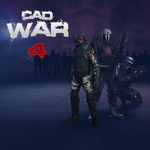
📝CAD War 4 Overview
Grab your rifle and charge into CAD War 4, where every corridor hides an enemy and the only way out is through a hail of bullets.
💬What is CAD War 4?
CAD War 4 drops you into a blocky warzone where every corner hides an enemy. You'll be sprinting, jumping, and aiming down sights in seconds. The controls feel tight—WASD moves, Space hops, Shift kicks you into a sprint, and right-click brings your weapon up for a steadier shot. I kept getting caught reloading at the worst possible moment; the R key becomes your best friend.
The maps have a surprising amount of verticality. You'll climb crates, hop across rooftops, and sometimes catch a guy trying to snipe from a tower. E pulls double duty for actions like opening doors or grabbing ammo. The gunplay isn't super realistic, but that's fine—it's fast, arcade-style, and satisfying. Headshots drop enemies quick, but body shots take a few extra rounds, so aim carefully or you'll burn through mags.
What hooked me was the loop: push forward, take out a patrol, reload, push again. The AI isn't genius, but they flank and call out, which keeps you moving. Shift-sprint is dangerous—you cover ground fast but can't shoot while running. I learned to slide into cover, pop up, and fire. It's simple, unpolished, and fun in the way browser shooters should be.
👥How to Play CAD War 4
Left Mouse Button - Shoot
Right Mouse Button - Aim
WASD - Move
Space- Jump
Shift - Acceleration
R - Reload
E - Action
✨Game Tips
Tap Shift only when crossing open ground; sprinting leaves you unable to fire.
Use right-click aim before peeking corners—it steadies your first shot.
Reload behind cover, never in the open; the animation feels long.
Aim for the head to save ammo; body shots will chew through mags.
Watch rooftops and upper windows; enemies love vertical positions.
Press E on supply crates and doors—sometimes ammo hides in plain sight.
🔧FAQ
Q: Is CAD War 4 free to play?
A: Yes, it's completely free in your browser with no hidden costs.
Q: Can I play CAD War 4 on mobile?
A: The game is built for desktop browsers; mobile touch controls aren't supported.
Q: Do I need to download CAD War 4?
A: No download needed—just open the page and play instantly.
Q: What are the controls in CAD War 4?
A: WASD moves, Space jumps, Shift sprints, left-click shoots, right-click aims, R reloads, E interacts.
Q: Is CAD War 4 unblocked at school?
A: It's available on unblocked games sites, but your school's firewall may still block it.
Q: Can I play CAD War 4 offline?
A: No, you need an internet connection since it runs in a web browser.