
Cahaya Laser
Play Count0
Published2021-07-21
Supported DevicesPC
CategoryPuzzle & Thinking
Rating★★★★★5.0Rate this game
📝Cahaya Laser Overview
Redirect lasers with mirrors, splitters, and blocks to hit every target—think fast, because each level turns up the heat.
💬What is Cahaya Laser?
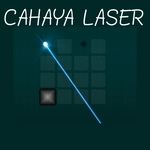
The first time I dragged a mirror into a laser's path and watched the beam split into two clean, glowing lines, I knew Cahaya Laser wasn't your average block-pushing puzzle. You aren't just moving boxes—you're bending light itself. Each level drops you into a grid with a laser emitter, a few sensors that need to be lit up, and a pile of draggable pieces: flat mirrors, angled reflectors, splitters, and the occasional blocker. Click any block, drag it to an empty square, and the beam instantly redraws itself. Miss by one grid square and the whole thing fizzles—it's that precise.
What kept me hooked wasn't the difficulty, but the quiet satisfaction of solving a spatial riddle with pure logic. There's a level where you have to hit three sensors using one laser, a couple of splitters, and a wall in the way. I probably tweaked the mirror angles a dozen times, tracing the beam path with my eyes before making each move. The moment all three sensors blinked on at once felt earned, like I'd just aced a geometry pop quiz. Controls are dead simple: click, drag, drop, test. No timers, no lives, no pressure—just you and the photons.
The challenge ramps up nicely, adding more moving parts and tighter spaces as you go. Some stages tease you with a near-solution that falls apart because one beam is a hair too short, forcing you to scrap everything and start over with a different angle. I found myself experimenting more freely after a few levels, using two mirrors to bounce light around corners or sacrificing one target to reroute the main beam. It's the kind of game that works in five-minute bursts or hour-long sessions. If you like puzzles that make you feel clever rather than cheated, give Cahaya Laser a shot.
👥How to Play Cahaya Laser
drag block
✨Game Tips
Always trace the beam with your eyes before placing a new block—half the failures come from an angle that's off by a hair.
Don't hoard splitters; using two early can open up paths you didn't think existed.
If a solution looks perfect but fails, check whether the beam is hitting the very edge of a sensor—sometimes you need to nudge a block one square over.
Bouncing a laser off two mirrors at a shallow angle is often the cleanest way to reach a sensor tucked behind an obstacle.
When stuck, clear the board and start from scratch. A fresh layout beats trying to patch a broken one.
🔧FAQ
Q: Is Cahaya Laser free to play?
A: Yes, it's completely free in your browser—no paywalls or hidden fees.
Q: Can I play Cahaya Laser on my phone?
A: The HTML5 version runs on most mobile browsers, though dragging blocks is easier with a mouse.
Q: Do I need to download or install anything?
A: No downloads needed. Just open the page and start solving laser puzzles immediately.
Q: How do I reset a level if I mess up?
A: Many levels have an undo or reset button, or you can simply drag blocks back to their starting spots.
Q: What's the best strategy for difficult levels?
A: Start from the sensor and work backwards toward the emitter—it often reveals the mirror angles you need.
Q: Is Cahaya Laser suitable for kids?
A: Yes, it has no violence or time pressure, and it's a great way to practice spatial reasoning.