
Camel Escape
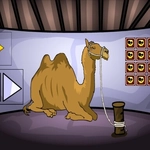
📝Camel Escape Overview
Smash that mouse button to bust a stubborn camel out of a heavily guarded desert compound — every click gets you closer to freedom.
💬What is Camel Escape?
I'll be honest, I thought Camel Escape would be another mindless click-fest, but the upgrade curve actually kept me hooked. You start with a camel that barely nudges a rope, and every click adds a little more frantic energy to the escape meter. The trick is rhythm: click too slow and the guards' attention creeps up; click too fast and you'll burn through stamina before the final gate. That tension is what made me come back.
Then you notice the water mechanic. Mid-run, a heat wave hits and your camel starts losing speed unless you click on the oasis icons that pop up. I missed one, watched my camel faceplant into a dune, and had to restart. Annoying? Yes. But fair, because the game tells you where to look. Upgrades feel meaningful: stronger hooves let you smash through wooden fences instead of going around, and bigger humps store more water for longer dashes.
Final stretch is a literal sprint to the border. You'll get a feel for when to dump all stored clicks into a burst. It's not deep, but it's satisfying in the way good clickers are — pure momentum with just enough decisions to keep your brain awake.
👥How to Play Camel Escape
Mouse Interact
✨Game Tips
Save up for the Strong Hooves upgrade before attempting the second fence line — it saves a ton of clicks.
Watch the heat meter; if it fills up, your click power halves.
Click the water bubbles as soon as they appear, even mid-click-spam.
Don't blow all your stored energy on the first gate; keep a reserve for the final sprint.
Upgrade hump capacity early, it pays off in later runs.
The guard alert resets if you stop clicking for a second, but only if you're hidden behind a dune.
🔧FAQ
Q: Is Camel Escape free to play?
A: Yes, it's completely free in your browser.
Q: Do I need to download anything?
A: No downloads or installs needed, just open the page.
Q: Can I play Camel Escape on my phone?
A: Yes, the touchscreen works for tapping, but a mouse gives better click speed.
Q: What if I get stuck on a fence?
A: Back up and upgrade your hooves or stamina before trying again.
Q: Does Camel Escape need fast internet?
A: No, once it loads you can play even on a slower connection.
Q: How do I reset my progress?
A: Clear your browser cache or use a different browser profile.