
Cannon Duck
Play Count0
Published2020-01-31
Supported DevicesPC + Mobile
CategoryFun & Crazy
Rating★★★★★5.0Rate this game
📝Cannon Duck Overview
One click is all it takes to launch this duck into orbit—but can you time the bounce and boost to break your distance record?
💬What is Cannon Duck?
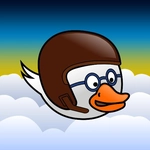
You ever look at a duck and think, "Yeah, that belongs in a cannon"? Cannon Duck answers that question with a resounding quack. The setup is gloriously stupid: a duck sits in a comically oversized cannon, and your only job is to click at the right moment to send it hurtling across the landscape. The first shot feels like pure chaos—the duck spinning, feathers ruffling, maybe a stray "quack" if you listen close. But then you notice the distance counter ticking up, and suddenly you're not just launching a waterfowl; you're chasing a personal best.
What makes it work is the bounce. After the initial launch, the duck hits the ground and rolls, tumbles, sometimes skips like a stone. A well-timed click right as it touches down gives a little boost—not a huge jump, just enough to keep momentum going. I caught myself leaning closer to the screen, mouse pointer hovering, heart racing as the duck slowed down at 347 meters. Then a lucky bounce off a rock sent it soaring to 502. That's the hook: no two flights feel the same, and the line between "tragic flop" and "legendary glide" is thinner than you'd think.
It's the kind of game you open for two minutes and then realize twenty have passed. The one-button control means you can play it with a coffee in one hand, and the physics feel just forgiving enough to keep you saying "one more try." The duck itself has a weird charm—it's not cute, exactly, more like a determined little projectile with a grudge against gravity. If you enjoy games where timing beats button-mashing, this is a solid way to waste an afternoon.
👥How to Play Cannon Duck
Mouse Click
✨Game Tips
- Wait until the duck actually touches ground before clicking again—early clicks just waste the bounce boost.
- A slightly upward angle on the first shot gives you more airtime to line up the next bounce.
- Keep your mouse pointer near the cannon after firing so you can react faster when the duck lands.
- The duck's head dips just before it hits; click right at that dip for a cleaner boost.
- Don't obsess over perfect launches—sometimes a sloppy shot bounces off a rock and goes farther than any planned angle.
- Aim for slopes and ramps with the duck's belly, not its beak, to keep the roll smooth and long.
🔧FAQ
Q: Is Cannon Duck free to play?
A: Yes, it's completely free in your browser with no download required.
Q: Can I play Cannon Duck on my phone?
A: Yes, the mouse click control works on touchscreens—just tap instead of click.
Q: Do I need to install anything to play?
A: No installation needed. It runs directly in any modern web browser.
Q: What are the controls for Cannon Duck?
A: Only your mouse or finger. Click once to fire the cannon, then click again on the ground to bounce.
Q: Does Cannon Duck save my high score?
A: Most browser versions remember your best distance automatically, so you can come back later.
Q: Is there any violence or gore in Cannon Duck?
A: No, it's a silly cartoon duck. No blood, no gore—just feathers and physics.