
Cannon Shooting
Play Count0
Published2021-05-12
Supported DevicesPC
CategoryArcade & Classic
Rating★★★★★5.0Rate this game
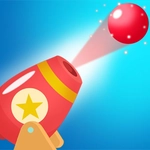
📝Cannon Shooting Overview
Fire a cannonball and then bend its path by dragging blocks, ramps, and bumpers with your finger — will it hit the target or ricochet into chaos?
💬What is Cannon Shooting?
Cannon Shooting doesn't waste time with tutorials. You click, the cannon fires, and a metal ball arcs through the air. Missed? That's on you — or maybe on the wooden plank you forgot to rotate. Your finger (or cursor) is the real weapon here: slide blocks, tilt ramps, flip switches, whatever the level hands you. Then fire again and watch physics do its beautiful, unpredictable thing.
The charm is in the chain reactions. A straight shot might hit a wall and die, but if you angle that same shot into a movable bumper, it can bounce twice and land in a bucket. I found myself replaying the same level four times just to see if a different object arrangement could produce a crazier path. It's part puzzle, part sandbox, with just enough arcade immediacy to keep you clicking when you should be doing homework.
Controls are dead simple on desktop — click the cannon, drag items with the mouse. On touchscreens, your finger does the dragging, which actually feels more precise for tiny nudges. There's no timer pressure in most levels, so you can experiment. If you get stuck, try resetting the board; sometimes the solution is dumber than you think, like moving a random crate two pixels left and watching the ball suddenly thread a needle.
👥How to Play Cannon Shooting
click cannon to shoot
Use your finger to move various objects to change the direction of the balls
✨Game Tips
Click the cannon to fire, but wait to adjust nearby objects first so you don't waste shots.
A tiny nudge to a ramp can create a massive change in where the ball lands.
Use walls as part of your aim — bouncing off a flat surface is often more reliable than a direct shot.
Don't ignore loose blocks; even small items can redirect a ball if placed early in its path.
On touchscreen, use your finger instead of a stylus for better control over micro-adjustments.
If a solution feels impossible, reset the level and try moving objects in the opposite order.
🔧FAQ
Q: Is Cannon Shooting free to play?
A: Yes, Cannon Shooting is completely free online with no download or payment needed.
Q: Can I play Cannon Shooting on mobile?
A: Yes, the game works in mobile browsers and uses touch controls for moving objects.
Q: Do I need to install anything to play Cannon Shooting?
A: No, it runs directly in your browser as an HTML5 game, no plugin required.
Q: What are the controls in Cannon Shooting?
A: Click the cannon to shoot, then drag objects with your finger or mouse to redirect balls.
Q: Is Cannon Shooting suitable for kids?
A: It's family-friendly with no violence beyond balls hitting targets, so yes for most ages.
Q: Why won't the cannon fire on my school computer?
A: Check if your browser blocks JavaScript or if you need to click the game first to focus it.