
Car Driving
Play Count0
Published2022-02-22
Supported DevicesPC
CategoryAction & Fighting
Rating★★★★★5.0Rate this game
📝Car Driving Overview
Slide behind the wheel, dodge traffic, and see how long you can keep your ride intact without a scratch.
💬What is Car Driving?
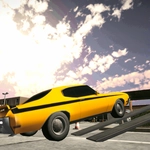
You're on a three-lane highway, boxed in by slow trucks and impatient sedans that change lanes without a blinker. That's the whole premise—and it's enough. Car Driving doesn't pretend to be a simulator. It's a raw arcade survival run where distance is the only scoreboard, and every oncoming car is a potential one-way trip to a twisted fender. I spent my first five attempts dying within thirty seconds because I treated the brake like a suggestion. The moment I started feathering the throttle and reading gaps two cars ahead, everything clicked.
The controls are arrow keys or WASD for steering, gas, and brake. Spacebar yanks the handbrake, which is either your best friend or your worst enemy depending on how cocky you feel. The physics are forgiving enough to make near misses feel heroic, but punishing enough that a slight overcorrection at high speed will spin you across the median into oncoming traffic. Camera views matter more than you'd think: the hood cam gives you the tightest sense of your car's width, while the chase cam helps you spot overtaking opportunities.
One run stuck with me: I squeezed between a fuel tanker and a guardrail with maybe a coat of paint to spare, my pulse hammering, and then immediately clipped a compact car two lanes over because I celebrated too early. That's Car Driving. It's not polished, it's not deep, and it doesn't need to be. It's a five-minute adrenaline loop that pulls you back for one more try.
👥How to Play Car Driving
keyboard
✨Game Tips
Tap the brakes before changing lanes; cutting sharply at full speed almost guarantees a spin.
Use the shoulder in early runs—it's ugly but keeps you alive while you learn traffic rhythm.
Switch to the hood camera once traffic gets dense; the wider view saves your side mirrors.
Don't fixate on the car ahead; watch the gaps opening two or three vehicles forward.
Keep your speed around 70-80% until you're comfortable counter-steering.
🔧FAQ
Q: Is Car Driving free to play?
A: Yes, it's completely free in your browser with no hidden paywalls.
Q: Can I play Car Driving on my phone?
A: The game runs on mobile browsers, but keyboard controls work best. Touch steering is supported on some devices.
Q: Do I need to download Car Driving?
A: No download needed—just open the page and start driving instantly.
Q: What are the controls for Car Driving?
A: Use arrow keys or WASD to steer, accelerate, and brake. Spacebar acts as the handbrake.
Q: Can I change the camera angle in Car Driving?
A: Yes, press C (or the camera button) to cycle through chase, hood, and cockpit views.
Q: Does Car Driving have different cars or maps?
A: The base version has one endless highway, but some variants include unlockable cars and weather changes.