
Car Driving 3D
Play Count0
Published2022-01-28
Supported DevicesPC
CategoryArcade & Classic
Rating★★★★★5.0Rate this game
📝Car Driving 3D Overview
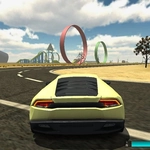
Slide behind the wheel of a surprisingly responsive virtual car and tear through a low-poly city with no rules, no traffic jams, and no mercy for street signs.
💬What is Car Driving 3D?
I'll be honest: Car Driving 3D isn't going to dethrone Forza. But that's not why you're here. This is a browser game that loads in seconds and hands you a surprisingly weighty car to toss around a blocky city. The physics have just enough slide to make every handbrake turn feel earned, and the camera angle keeps you low and fast. You'll probably tap the arrow keys expecting janky movement, then find yourself drifting around a corner and grinning.
There's no story, no upgrade tree, no multiplayer lobbies. Just you, an empty street grid, and the occasional box or ramp that begs to be hit. I spent twenty minutes trying to jump a sedan off a broken overpass — spoiler: it does not land gracefully, but that's half the fun. The city feels deliberately sparse, which means you make your own entertainment: racing against the clock, seeing how many lampposts you can clip, or just cruising at sunset with the sound off.
If you need structured goals, you might bounce off after five minutes. But if you like the idea of a low-stakes sandbox where the only objective is to see how far you can push a virtual car before it flips, this one scratches that itch. Keyboard controls are simple: arrow keys or WASD, space for handbrake, and that's pretty much it. No download, no signup, just a browser tab. I kept coming back for five-minute breaks between tasks, which is exactly what a good arcade driving game should be.
👥How to Play Car Driving 3D
Keyboard Control
✨Game Tips
Tap the handbrake instead of holding it to start a controlled drift.
You'll get more air if you hit ramps at full speed, but pull back on the steering to level out.
Ignore the city roads and cut across grass or sidewalks if you want a shortcut.
The car can flip easily at high speed, so ease off the gas before sharp corners.
Try driving in reverse for a minute — it's surprisingly fun and oddly stable.
If you get stuck on your roof, just reset the car with the R key and keep going.
🔧FAQ
Q: Is Car Driving 3D free to play?
A: Yes, it's completely free in your browser without any paywalls or hidden fees.
Q: Can I play Car Driving 3D on my phone?
A: The game is designed for keyboard controls, so mobile play is not officially supported.
Q: Do I need to download anything to play?
A: No downloads or installs needed. It runs directly in any modern web browser.
Q: What are the keyboard controls?
A: Use arrow keys or WASD to drive, spacebar for handbrake, and R to reset the car position.
Q: Does Car Driving 3D have multiplayer or racing modes?
A: This version is a single-player free roam experience with no online multiplayer.
Q: Why does the game feel laggy sometimes?
A: Lower the browser tab's resolution or close other heavy tabs to improve frame rate.