
Car Driving Speed Trial
Play Count0
Published2022-10-21
Supported DevicesPC
CategoryDriving & Racing
Rating★★★★★5.0Rate this game
📝Car Driving Speed Trial Overview
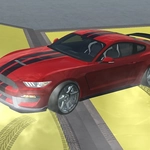
Strap in and floor it through neon-lit streets, weaving between traffic while your nitro bar screams for another hit.
💬What is Car Driving Speed Trial?
The first run down the highway, I nearly launched myself into a lamp post because I forgot the space bar isn't just a handbrake—it's a full brake. In Car Driving Speed Trial, you're not just holding W and hoping. You're balancing throttle, nitro, and braking to hit speed checkpoints without turning your ride into a fireball. The cars aren't identical clones either. The starter hatchback feels floaty at 120 km/h, but switch to the muscle car and you'll feel the back end twitch if you so much as breathe on the steering mid-corner.
What kept me coming back was the nitro management. You get a limited boost meter that refills slowly, and the temptation to dump it all on the first straight is real. But the smart play is feathering it. Tap F right as you exit a turn, and the car squats and rockets forward. Use it mid-drift and you'll spin like a top. The camera toggle (C key) is a small but huge detail—the default chase cam works fine, but the hood view makes weaving through truck lanes feel 10 times faster. And the Tab menu isn't just for settings; it shows your best times and the track layout, so you can plan where to brake and where to go flat out.
Is it a full simulator? No. But as a browser game, it nails that arcade-sim balance. The speed sense is genuine—I white-knuckled my desk more than once. If you've ever wanted a quick 10-minute adrenaline fix without downloading 40 gigabytes, this is it.
👥How to Play Car Driving Speed Trial
wasd - drive
f - nitro
tab - menu
space - brake
c - camera
✨Game Tips
Save your nitro for the exit of a corner—hit F just as the wheels straighten and you'll slingshot down the next straight.
Don't hold space to brake; a quick tap cuts enough speed for a hairpin without killing your momentum.
Press C to cycle camera views. The hood cam makes high-speed traffic dodging feel way more intense.
Use Tab to check the track layout before a run so you know which corners to brake early for.
Pick the muscle car once you've got the hang of throttle control—it punishes sloppy inputs but rewards clean lines.
If you're spinning out on corner exits, ease off W before steering, not after.
🔧FAQ
Q: Is Car Driving Speed Trial free?
A: Yes, it's 100% free to play right in your web browser. No downloads or hidden fees.
Q: Can I play Car Driving Speed Trial on mobile or tablet?
A: The game uses keyboard controls (WASD), so a physical keyboard is recommended. Touch devices are not supported.
Q: Do I need to download anything to start playing?
A: No, just open the page and the game loads instantly. It's a browser-based HTML5 title.
Q: What are the keyboard controls for Car Driving Speed Trial?
A: Use WASD to drive, F for nitro, Space to brake, C to change camera, and Tab for the menu.
Q: How do I change cars in Car Driving Speed Trial?
A: Open the Tab menu and look for the vehicle selection screen. Some cars may unlock after you hit certain speed targets.
Q: Why does my car spin out when I use nitro?
A: Nitro increases wheel spin, especially on rear-wheel drive cars. Apply it only when the wheels are straight and you're not turning.