
Car Driving Traffic Crazy Mobile
Play Count0
Published2022-12-02
Supported DevicesPC + Mobile
CategoryDriving & Racing
Rating★★★★★5.0Rate this game
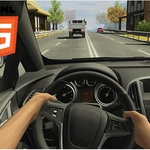
📝Car Driving Traffic Crazy Mobile Overview
Weave through rush-hour madness at full throttle and see how far you can survive without crumpling your hood.
💬What is Car Driving Traffic Crazy Mobile?
You're not cruising down a scenic highway—you're threading a needle through rolling roadblocks that actively want to trade paint with you. The moment you tap the gas, every sedan, taxi, and semi on the strip starts drifting into your lane like they've never seen a turn signal in their lives. On mobile, the on-screen buttons actually feel responsive (which is rarer than it should be), and on PC the WASD keys give you just enough steering authority to pull off last-second lane changes.
I still remember the first time I slipped between two parallel trucks with maybe half a bumper to spare—my thumbs went numb for a second and the near-miss bonus popped up like a tiny middle finger to the traffic AI. That's the loop: drive fast, shave impossibly close to other cars, and chain near misses into a score that keeps climbing until you inevitably clip a mirror and go spinning into the guardrail.
The traffic density ramps up every few hundred meters, so the early minutes lull you into complacency before a wall of brake lights appears out of nowhere. You'll reset, grumble, then hit the throttle again because the next run always starts with a clean stretch of road and a fresh chance to beat your record. It's not a deep sim—there's no tuning or garage full of cars—but for a quick fix of high-speed dodging on a lunch break, it scratches an itch that bigger racing games often ignore.
👥How to Play Car Driving Traffic Crazy Mobile
On mobile devices, use the button from the screen and use "WASD" on PC.
✨Game Tips
Tap the brake lightly before a sharp swerve so you don't fishtail into a truck.
On mobile, rest your thumb on the steering button instead of tapping—you'll get smoother lane changes.
Use near misses to build score but don't chase them when a bus is closing in.
Memorize the spawn rhythm of trucks; they change lanes slower than cars.
If you're on PC, tap A or D in short bursts rather than holding them for fine adjustments.
When traffic thickens, drop speed slightly and focus on gaps two cars ahead.
🔧FAQ
Q: Is Car Driving Traffic Crazy Mobile free to play?
A: Yes, it runs in your browser at no cost—no paywalls or limited trial timers.
Q: Can I play Car Driving Traffic Crazy Mobile on mobile?
A: Yes, on-screen buttons appear automatically on touch devices, so you can steer with your thumbs.
Q: Do I need to download anything to play Car Driving Traffic Crazy Mobile?
A: No download or install required, just open the page in any modern browser.
Q: What are the controls for Car Driving Traffic Crazy Mobile?
A: Use WASD or arrow keys on PC; on mobile use the on-screen gas, brake, and steering buttons.
Q: Can I play Car Driving Traffic Crazy Mobile offline?
A: You need an internet connection to load the game, then it runs smoothly in your browser.
Q: Is Car Driving Traffic Crazy Mobile unblocked at school?
A: It's hosted on unblocked games sites, so it usually bypasses school network filters.