
Car Parking Game Driving Skill
Play Count0
Published2022-09-05
Supported DevicesPC + Mobile
CategoryDriving & Racing
Rating★★★★★5.0Rate this game
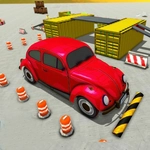
📝Car Parking Game Driving Skill Overview
Nail tight reverse parking, squeeze into impossible spots, and keep your paint scratch-free across dozens of tricky levels.
💬What is Car Parking Game Driving Skill?
You'd think parking a virtual car would be relaxing. It isn't. Car Parking Game Driving Skill throws you into cramped lots, narrow alleys, and obby-style parking decks where a single miscalculation means a scratched bumper or a failed level. The camera swings around the car as you creep forward, tires squeaking on the digital asphalt. W or up arrow to gas, S or down to brake, and your mouse to swing the camera—you'll need all of it.
Level 7 was where I learned respect. A tight parallel spot between two parked SUVs with barely a foot of clearance on either end. I inched in, adjusted the wheel, backed out slightly, then cut the wheel hard—nailed it. That little rush of 'hell yeah' is what keeps me coming back. It's not a sim with realistic physics, more arcade-ish, but the collision detection is unforgiving enough to teach you patience. Some levels are forgiving, others are straight-up brutal.
If you like precision driving without the chaos of traffic, this scratches that itch. It's got that one-more-level pull, and the camera control actually matters—spend time getting the angle right before you commit. The arrow keys work too, but mouse camera is the real game changer for judging distance. I keep finding myself muttering at the screen when I clip a cone, which is probably a sign of a decent parking game.
👥How to Play Car Parking Game Driving Skill
For Desktop: you can swipe camera through mouse rotations left, right, down or up to change camera view. Keyboard button "W" & "Arrow Up" for Acceleration, Keyboard button "S" & "Arrow Down" for break, Keyboard button "A" "S" & "Arrow Left" "Arrow Right"
✨Game Tips
Use the mouse to swing the camera behind the car before reversing—seeing the exact angle saves paint.
Tap 'W' lightly for fine adjustments; holding acceleration turns these spots into demolition derby.
If you overshoot, don't panic. Brake, straighten the wheels, and reset your angle slowly.
The arrow keys work too, but mouse camera is the real game changer for judging distance.
Some levels are easier if you reverse into the spot from a wider entry angle.
Watch the back tires, not the steering wheel—where the rear wheels go, the car follows.
🔧FAQ
Q: Is Car Parking Game Driving Skill free to play?
A: Yes, it's completely free in your browser with no hidden fees.
Q: Can I play Car Parking Game Driving Skill on my phone?
A: The HTML5 version works on mobile browsers, but desktop gives you better camera control with a mouse.
Q: Do I need to download anything to play?
A: No downloads needed. Just open the game page and start driving.
Q: What are the controls for Car Parking Game Driving Skill?
A: Use W or Up arrow to accelerate, S or Down to brake, and A/D or Left/Right to steer. Mouse controls camera.
Q: Is there a time limit or fuel system?
A: No time limits. You can retry levels as many times as you need to nail the parking.
Q: Does the game work offline?
A: You need an internet connection to load the page, but the game itself runs smoothly in your browser.