
Cars Differences
Play Count0
Published2024-01-25
Supported DevicesPC + Mobile
CategoryPuzzle & Thinking
Rating★★★★★5.0Rate this game
📝Cars Differences Overview
Think you've got a mechanic's eye? Compare two nearly identical car scenes and click every tiny difference hiding in plain sight.
💬What is Cars Differences?
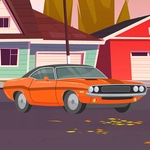
Cars Differences hooked me in a way I didn't expect. You get two car images side by side—could be classic muscle, off-road rigs, or a busy garage scene—and the only goal is to click every detail that isn't identical. It sounds like a kid's game, but by level three I was leaning into my monitor, convinced the rearview mirror had moved half a pixel. It hadn't. Then a headlight beam was just slightly dimmer on the right. That's the kind of tiny, maddening change this game loves.
The play loop is simple: move your cursor across both images and compare shapes, colors, shadows, and sometimes even background props. Some differences hit you instantly—a missing bumper sticker, a tire rim with one extra bolt—while others hide in gradients and reflections. On a phone, tapping is equally responsive, though you might want a bigger screen if your eyes are tired. The game usually gives you a set number of finds per level, and if you're stuck, a hint can nudge you toward the culprit. Don't waste it early.
What makes Cars Differences replayable is the car theme itself. The art isn't hyper-realistic, but it's clean and readable, which matters when you're scanning for subtle changes. There's no story, no upgrades, just pure eye-sharpening puzzle action. I kept coming back after dinner just to clear one more screen. For a quick brain break or something to keep kids busy, it's a solid pick.
👥How to Play Cars Differences
Use your mouse or tap the screen to find the differences.
✨Game Tips
- Scan big shapes first—wheels, windows, grilles—before hunting tiny color shifts.
- Move your eyes in a zigzag across both images instead of jumping randomly.
- Save hints for the last couple of differences; they disappear fast.
- On touchscreen, use two fingers to zoom if the game lets you.
- Keep a mental count of found differences so you know when to look harder.
- Compare reflections and shadows too, not just the car body itself.
🔧FAQ
Q: Is Cars Differences free to play?
A: Yes, it's completely free in your browser with no paywall.
Q: Can I play Cars Differences on mobile?
A: Absolutely, the game responds to taps on phones and tablets.
Q: Do I need to download or install anything?
A: No download needed; just open the page and start spotting differences.
Q: What if I can't find the last difference?
A: Look at edges and shadows, or use the hint button if one is available.
Q: Is Cars Differences suitable for kids?
A: Yes, the car scenes are family-friendly and the controls are simple.
Q: Does the game have multiple levels?
A: Yes, there are many car-themed puzzle images to keep you busy.