
Cartoon Puzzle HD
Play Count0
Published2021-06-08
Supported DevicesPC
CategoryArcade & Classic
Rating★★★★★5.0Rate this game
📝Cartoon Puzzle HD Overview
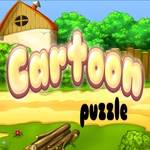
Stunning cartoon art, a pile of scrambled pieces, and that perfect moment when the last tile locks in—welcome to your new favorite time-killer.
💬What is Cartoon Puzzle HD?
I've burned through a lot of jigsaw-style browser games, and most of them feel like cheap knockoffs. Cartoon Puzzle HD isn't trying to reinvent the wheel—it just makes the wheel feel really, really good. You get a gallery of bright, high-detail cartoon images: goofy animals, fairy-tale scenes, maybe a pirate ship or two. Pick one, watch it shatter into a few dozen pieces, and start dragging.
The controls are dead simple. Click a piece, hold the mouse button, and slide it toward where you think it belongs. If you're right, it locks with a satisfying little snap. If you're wrong, it slides back. You can rotate pieces with the arrow keys if the orientation doesn't match—handy for those sky-and-cloud sections where everything looks identical. I lost a good ten minutes on a sunset image just because four nearly white corner pieces all wanted to be somewhere else.
What keeps me coming back is the progression. Start with 12-piece puzzles to warm up, then crank it to 48 or 100 pieces when you're feeling cocky. The HD art actually matters here: unlike blurry old flash puzzles, these images stay crisp even when you zoom in (well, metaphorically—there's no zoom, but you get it). It's not a game you'll finish in one sitting, but it's perfect for those short breaks between classes or while waiting for a download.
👥How to Play Cartoon Puzzle HD
Arrows,Click,Mouse
✨Game Tips
Edge pieces first: corners give you four anchor points, then fill in the border to define the frame.
Sort by color or pattern before you start dragging—it cuts the search time in half.
Tap an arrow key if a piece looks right but won't snap; sometimes it's just rotated 90 degrees.
Stuck on a tricky section? Switch to a different part of the image; your brain keeps working in the background.
Zoom out mentally: use the full preview image to locate where a weird-colored piece belongs.
Start with the 12-piece puzzles to learn the snapping distance, then jump to 48 or 100 for a real challenge.
🔧FAQ
Q: Is Cartoon Puzzle HD free to play?
A: Yes, it's completely free in your browser. No paywalls or hidden fees.
Q: Do I need to download anything to play Cartoon Puzzle HD?
A: No downloads required. It runs on HTML5, so just open the page and start puzzling.
Q: Can I play Cartoon Puzzle HD on my phone or tablet?
A: Yes, the game supports touch controls. Tap and drag pieces on mobile devices.
Q: What are the controls for Cartoon Puzzle HD?
A: Use your mouse to click and drag pieces. Press arrow keys to rotate a selected piece.
Q: How many puzzles does Cartoon Puzzle HD have?
A: The game offers multiple cartoon images with adjustable piece counts, usually from 12 to 100.
Q: Does Cartoon Puzzle HD save my progress?
A: Progress saves automatically in your browser for most puzzles, but reopening the page may reset some sessions.