
Cartoon Retro Car Parking 2019
Play Count0
Published2019-10-29
Supported DevicesPC
CategoryDriving & Racing
Rating★★★★★5.0Rate this game
📝Cartoon Retro Car Parking 2019 Overview
Grab the keys to a boxy retro car and finesse it into absurdly tight parking spaces while the camera swings around you.
💬What is Cartoon Retro Car Parking 2019?
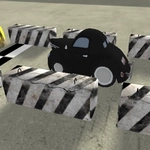
Cartoon Retro Car Parking 2019 puts you in a low-poly city where every curb feels like it's mocking you. The cars are stubby little boxes with bouncy suspension, and the parking spots are painted just small enough to make you sweat. You'll creep forward, tap the handbrake, and realize the rear bumper is about to kiss a fire hydrant. That's the moment you remember the mouse is your best friend — swing the camera around, check your angle, then ease back with S and try again. It's not about speed; it's about not looking like an idiot in front of the cartoon pedestrians.
I spent a solid twenty minutes on one level where the only spot left was between a bus and a dumpster. The key is to stop fighting the camera. Use the mouse to orbit the car constantly, like you're a drone pilot judging a landing. WASD drives forward, reverse, and steers, but the car has no weight to it — it turns too sharp and slides wide on the fake asphalt. You'll learn to compensate by braking earlier than feels right and giving yourself more room on the inside of the turn. Fail and the game resets you with a gentle honk, like it's disappointed rather than angry.
There's no timer, no traffic, no pressure besides your own pride. That's what makes it weirdly addictive. You'll finish a perfect park, exhale, and immediately restart to do it cleaner. If you're stuck, try driving past the spot, then reversing in using the side mirror view you get by swinging the mouse low. It feels like cheating until you realize the real car doesn't have mirrors either.
👥How to Play Cartoon Retro Car Parking 2019
- use mouse to change camera direction at car
- wasd - drive
✨Game Tips
• Swing the mouse constantly to check your blind spots — the side view reveals way more than the default chase cam.
• Reverse park whenever possible; it's slower but gives you tighter control over the car's fat rear end.
• Use tiny taps on W or S instead of holding them down, especially when straightening out.
• Aim your front wheels at the center of the spot before turning, then commit to the angle.
• Don't be afraid to reset the level by bumping a wall — the honk is harmless and faster than untangling a mess.
• Watch the shadow under the car to judge distance from curbs; it's more reliable than the bumper camera.
🔧FAQ
Q: Is Cartoon Retro Car Parking 2019 free?
A: Yes, it's completely free to play in your browser.
Q: Can I play Cartoon Retro Car Parking 2019 on mobile?
A: The game uses mouse and WASD keys, so it works best on a computer. Touch controls aren't supported.
Q: Do I need to download anything to play?
A: No downloads. It runs directly in your web browser as an HTML5 game.
Q: What are the controls?
A: Use WASD to drive forward, reverse, and steer. Move the mouse to change the camera angle around the car.
Q: How do I reset a level if I get stuck?
A: Just bump into a wall or obstacle and the game will reset you to the start of that parking attempt.
Q: Is this game unblocked at school?
A: Usually yes, as long as your school doesn't block browser games. It's hosted on unblocked game sites.