
Castel Wars Modern
Play Count0
Published2023-05-30
Supported DevicesPC
CategoryAction & Fighting
Rating★★★★★5.0Rate this game
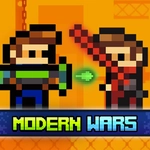
📝Castel Wars Modern Overview
Swords fly, blocks stack, and one wrong step sends you tumbling off your tower in this chaotic two-player castle brawl.
💬What is Castel Wars Modern?
Castel Wars Modern takes the classic one-versus-one castle building duel and makes it feel snappier. Blue side uses WASD, red side uses the arrow keys, so both of you can crowd around one keyboard. You start with a sword and a small platform. Holding the block button drops a brick under your feet, which lets you build stairs, walls, or a panic tower. Then the sword comes out. A quick tap swings it; hold the button and you hurl it in a flat arc. That throw is where the real mind games live — I've baited friends into jumping for a block only to eat a spinning sword mid-air.
Changing weapons with Q mixes up the pace. Some swings are slower but hit harder, and suddenly you're not just reacting, you're planning your next three moves. The platforms are small enough that one misstep sends you falling into the void. I kept coming back because no two rounds feel the same. Sometimes you'll build a defensive wall and wait; other times you just rush and hope they whiff.
Because it's browser-based and unblocked, it's perfect for school breaks or when you need a five-minute rivalry settled. There's no account, no download, just pick a side and start swinging. Just be ready to lose a few rounds figuring out the throw timing.
👥How to Play Castel Wars Modern
Blue Player:
Move: W, A, S, D
Create Block: S
Hit: E (Hold the key to throw the weapon if holding the sword)
Change Weapon: Q
Red Player:
Move: ARROW KEYS
Create Block: DOWN ARROW
Hit: L (Hold the key to throw the weapon if holding the
✨Game Tips
Build a wall in front of you before swapping weapons — it buys time to choose the right tool.
🔧FAQ
Q: Is Castel Wars Modern free?
A: Yes, it's completely free to play right in your browser with no hidden fees.
Q: Can I play Castel Wars Modern on mobile?
A: It's designed for keyboard controls on a desktop or laptop. Mobile touch support is limited or not available.
Q: Do I need to download anything to play Castel Wars Modern?
A: No download needed. Just open the game page in any modern browser and it runs instantly.
Q: Can I play Castel Wars Modern alone?
A: The main mode is 2-player local. You can practice against yourself, but it's best with a friend on the same keyboard.
Q: What are the controls for Castel Wars Modern?
A: Blue uses WASD to move, S to place blocks, E to attack, Q to change weapon. Red uses arrow keys, Down to block, L to attack.
Q: How do I throw the sword in Castel Wars Modern?
A: Hold the attack button (E or L) while holding a sword, then release to throw it in an arc at your opponent.