
Cheese Chopper
Play Count0
Published2021-12-22
Supported DevicesPC
CategoryAction & Fighting
Rating★★★★★5.0Rate this game
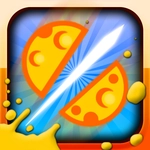
📝Cheese Chopper Overview
Quick wrists and sharper blades—Cheese Chopper turns your mouse into the fastest slicer this side of the deli.
💬What is Cheese Chopper?
The first cheese block slides across the board and my cursor jerks like I've had three espressos. Cheese Chopper is pure reflex action: use your mouse to line up the blade and chop incoming cheese into clean pieces. Every slice feels satisfying—there's a tiny delay, a sharp thunk, and the block splits apart. Miss, though, and the cheese smacks into the edge of the counter, leaving a sad crumb trail. That's when you realize this isn't a relaxing cooking game. It's a speedrun in a deli.
The pace ramps up fast. Early rounds give you single cheddar blocks drifting lazily left to right. Then two come at once, then a golden wedge zips across the screen worth triple points if you can catch it. I kept chasing that golden one and fumbling the regular blocks—classic risk-reward. The mouse controls are dead simple but the challenge is in the timing: your blade has a slight lag, so you need to lead your target like a sniper tracking a moving plate.
What makes Cheese Chopper stick is how quickly it turns into a personal best chase. You'll restart instantly after a bad run because the first ten seconds feel winnable. The cartoon cheese, the squeaky sound effects (if your browser allows audio), and the escalating speed all click together. Is it deep? No. But when you've got five minutes and need a twitchy arcade fix, it hits the spot like a sharp knife through room-temperature brie.
👥How to Play Cheese Chopper
Use your mouse to play.
✨Game Tips
Keep your cursor close to the cutting line, not the cheese—reaction time beats precision chasing.
Watch for golden or bonus blocks; they're often worth triple points but move faster.
Don't spam clicks; one clean chop per block prevents accidental misses and wasted frames.
Use the edge of your blade, not the center, for wider coverage on fast-moving blocks.
Breathe between rounds; higher speed means tighter windows and your mouse hand will tense up.
If you miss one block, don't panic—reset your rhythm on the next incoming piece instead of flailing.
🔧FAQ
Q: Is Cheese Chopper free?
A: Yes, completely free to play in your browser with no hidden fees.
Q: Do I need to download Cheese Chopper?
A: No downloads needed—just open the page and start slicing.
Q: Can I play Cheese Chopper on mobile?
A: The game is designed for mouse, but some touchscreens work if you tap to chop.
Q: What should I do if the blade lags?
A: Refresh the page, close other tabs, or lower your browser zoom.
Q: Is there a scoring system or levels?
A: Yes, you earn points per slice and speed ramps up as you progress.
Q: Can I pause or restart Cheese Chopper?
A: Most browser games let you refresh instantly to restart a run.