
Chess 3D
Play Count0
Published2026-07-21
Supported DevicesPC + Mobile
CategoryArcade & Classic
Rating★★★★★5.0Rate this game
📝Chess 3D Overview
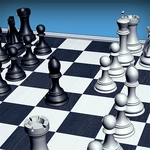
Chess 3D trades the flat grid for a rotating 3D board, but don't relax: the same brutal checkmates are waiting for you.
💬What is Chess 3D?
Most online chess games feel like you're staring at a spreadsheet. Chess 3D actually gives you a board you can spin. Drag to rotate, zoom to get low behind your pieces, and suddenly that knight fork you missed in 2D is obvious because you're seeing the position from a fresh angle. It's the same rules as the chess you already know—no weird power-ups or timer gimmicks—just a clean, solid opponent.
I'll admit, I lost my first game because I kept playing with the camera instead of thinking. That's the weird trap of this version. The 3D view is genuinely fun to move around, and if you're not careful, you'll spend five minutes admiring the reflections on the rooks. But once you lock in, it's pure chess. The AI puts up a decent fight without being impossible, which makes it good for warming up before a real match.
Controls are just mouse: click a piece, click where to move. Legal moves are highlighted, so you won't accidentally drop your queen into a trap. It's not a fancy chess engine with adjustable difficulty or multiplayer, but as a quick brain break, it hits the spot. The board defaults to a slightly tilted view that feels like sitting at a real table, and you can reset the angle anytime by refreshing. Honestly, the tilt is the charm. It's not trying to be Chess.com; it's just a solid, tidy 3D board with pieces that look decent at every zoom level. One thing I appreciate is the lack of clutter. No pop-ups, no account prompts, just you, the board, and the AI. If you want chess without the distraction, this is your lane. I found myself playing a few games after writing this.
👥How to Play Chess 3D
- To click any button use mouse
✨Game Tips
• Rotate the board before you commit to a move—what looks safe from above might be a hanging piece from the side.
• Use zoom to inspect pawn chains; the 3D perspective can make diagonal attacks clearer.
• If you're new to chess, focus on controlling the center four squares first.
• Don't spend your first minute playing with the camera, or you'll end up in a mental time scramble.
• The AI tends to castle early, so develop your bishops to pressure its kingside.
• Reset the view if things get confusing; the default tilt is best for planning.
🔧FAQ
Q: Is Chess 3D free to play?
A: Yes, Chess 3D is completely free in your browser with no paywalls or locked features.
Q: Do I need to download anything to play Chess 3D?
A: No downloads needed. Chess 3D runs directly in your browser as an HTML5 game.
Q: Can I play Chess 3D on my phone?
A: Yes, the mouse controls work with touch on most mobile browsers.
Q: What are the controls for Chess 3D?
A: Click a piece to select it, then click a highlighted square to move. Drag to rotate the board and zoom.
Q: Does Chess 3D have multiplayer or online play?
A: No, Chess 3D is a single-player game against a built-in AI opponent.
Q: Is Chess 3D unblocked at school?
A: It usually works on school networks if the site hosting it is unblocked, but that depends on your school's filter.