
Circular Racer
Play Count0
Published2020-09-28
Supported DevicesPC
CategoryAction & Fighting
Rating★★★★★5.0Rate this game
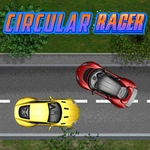
📝Circular Racer Overview
Two cars, one endless curve, and zero mercy — steer with your mouse or arrow keys and don't let your rival push you off the ring.
💬What is Circular Racer?
Circular Racer is the kind of game you fire up when a friend claims they're better at driving games. Both of you are locked onto the same circular track, little colored arrows or cars hugging the ring, and the only goal is to complete laps faster without wiping out. One side uses the mouse to steer — small movements matter, yank it too hard and you'll oversteer straight into the rail. The other side gets arrow keys, which feels chunkier but gives you precise throttle control if you tap instead of hold. I found myself leaning into the monitor on tight corners, trying to shave a pixel off my line.
The real chaos starts when you realize the track isn't just a circle — there are little gaps or boost pads scattered around, and the winner is usually the one who times their runs through them. Collisions are soft, so you can nudge the other player, but if you get too aggressive you both spin out. That moment when you're neck and neck, both drifting wide, and you decide to cut inside on the last corner — either you get the pass or you both eat wall. It's pure two-player dumb fun, the kind that makes you demand a rematch immediately after losing by half a second.
It's not a deep sim or anything. No upgrades, no career mode, just a clean loop of brake, turn, gas, repeat. But that's exactly what makes it perfect for a quick classroom or office break. The controls are tight enough to feel skill-based, loose enough to keep every race unpredictable. If you have five minutes and someone sitting next to you, this is the game to settle the argument.
👥How to Play Circular Racer
Use mouse, second player use arrow keys!
✨Game Tips
- Tap the arrow keys instead of holding them down — you'll keep speed through corners.
- Stay on the inner line as much as possible; the outer edge adds distance.
- Don't fight for the same piece of track. A quick fake inside can make your rival overcorrect.
- Mouse players: lift the mouse and re-center if you run out of desk space.
- Use the boost pads, but only when you're already stable — hitting one sideways sends you wide.
- Practice a solo lap first to memorize where the gaps are.
🔧FAQ
Q: Is Circular Racer free to play?
A: Yes, it's completely free in your browser. No hidden paywalls or premium unlocks.
Q: Can I play Circular Racer on my phone?
A: The game needs two input methods, so it works best on desktop with a mouse and keyboard. Mobile isn't supported.
Q: Do I need to download anything to play Circular Racer?
A: No downloads or installs. It runs right in your browser as an HTML5 game.
Q: How do the two players control their cars?
A: Player one uses the mouse to steer. Player two uses the arrow keys. Both controls are separate.
Q: Can I play Circular Racer by myself?
A: It's designed for two players, but you can race alone against the clock or just practice the track.
Q: Why does my car spin out so much?
A: You're likely turning too sharply. Use smaller movements and ease off the gas when entering corners.