
City Car Driver : Street Racing Game
Play Count0
Published2021-03-17
Supported DevicesPC
CategoryDriving & Racing
Rating★★★★★5.0Rate this game
📝City Car Driver : Street Racing Game Overview
Slide behind the wheel, weave through traffic, and leave every rival in your dust in this open-city street racer.
💬What is City Car Driver : Street Racing Game?
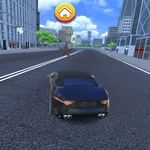
First thing I did was slam the throttle on a downhill stretch between two buses, clip a curb, and nearly flip the damn car. That’s the kind of chaos City Car Driver throws at you from the jump. It’s not a polished sim with licensed physics—it’s an arcade street racer that cares more about speed, drift angles, and narrowly missing a taxi than about tire temperature. You get a city map that feels alive enough: intersections, parked cars, long straightaways, and corners that punish late braking. The controls are simple (WASD or arrows to drive, space for handbrake, mouse to look around if you want), but mastering the throttle and e-brake is where the fun lives.
There’s a loose progression loop here. You start with a basic car that handles like it’s on ice, then earn cash from races or timed challenges to upgrade or unlock better rides. I kept coming back to the same downhill hairpin because hitting the handbrake at the exact moment before the tires lose grip feels stupidly satisfying. The AI racers aren't geniuses—they'll sometimes pile into a bus like lemmings—but that just means you can win with smart lines instead of pure speed. The streets aren't completely empty either: civilian traffic moves around, so every race turns into a near-miss highlight reel. You'll lean in your chair, curse a minivan, and then laugh when you somehow thread between two trucks.
If you want a no-pressure way to blow off steam, this is it. It runs right in your browser, no download, and the unblocked version means you can sneak a race between classes. Just don't expect Forza—expect chaos, cheap thrills, and a handbrake you'll abuse constantly.
👥How to Play City Car Driver : Street Racing Game
Use Mouse To Play and Keyboard
✨Game Tips
Tap the handbrake right before a tight corner to kick the rear out, then countersteer to hold the drift.
Use traffic as rolling roadblocks—filter behind a bus to break line of sight in races.
Save your cash for a handling upgrade first; top speed won't help if you can't turn.
Practice the hairpin near the docks early on; it's the fastest way to stack race wins.
If you spin out, don't fight it—let off the gas, straighten the wheel, and rejoin smoothly.
🔧FAQ
Q: Is City Car Driver free to play?
A: Yes, the game is completely free in your browser. No payment or sign-up required.
Q: Can I play City Car Driver on mobile?
A: It works best on desktop with a keyboard, but touch controls are available on some mobile browsers.
Q: Do I need to download anything to start playing?
A: No downloads needed. It runs as an HTML5 game directly in your web browser.
Q: What are the controls for City Car Driver?
A: Use WASD or arrow keys to drive, spacebar for handbrake, and mouse to look around.
Q: Does my progress save between sessions?
A: Progress saves locally in your browser, so clearing cache may reset your cars and upgrades.
Q: Is City Car Driver suitable for all ages?
A: Yes, it's cartoonish arcade racing with no gore or violence beyond fender benders.