
City Car Driving 3d
Play Count0
Published2022-03-21
Supported DevicesPC
CategoryArcade & Classic
Rating★★★★★5.0Rate this game
📝City Car Driving 3d Overview
Ever dreamed of ignoring every red light and cutting off every taxi in a 3D city? Now you can, without a scratch on your real bumper.
💬What is City Car Driving 3d?
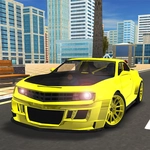
I wasn't expecting much from a browser driving game, but City Car Driving 3d caught me off guard. The moment I floored it through an intersection and watched a taxi slam its brakes, I was hooked. You get a decent-sized city, arcade-leaning car handling that still has some weight to it, and zero set objectives — just you, traffic, and a horn that does absolutely nothing.
The map isn't massive, but it's packed. There are wide avenues, narrow side streets, parking lots, and even a stretch of highway where you can really open the throttle. The traffic AI is basic, but that's part of the fun: cars stop, turn, and occasionally merge without warning. I spent a good fifteen minutes trying to create a full-on gridlock by parking sideways across a main road, then switched to the cockpit camera and just watched the chaos unfold behind me. The first-person view makes near-misses feel genuinely tense — you'll flinch when a bus cuts you off. The chase cam is better for drifting, though, especially if you yank the handbrake around a corner.
Honestly, if you want a realistic driving sim, look elsewhere. The graphics are simple, the engine note is buzzy, and traffic doesn't always react sanely. But as a free unblocked time-killer, it nails the core fantasy: drive like an absolute menace with zero real-world repair bills. I kept coming back just to see how long I could survive without touching the brakes. Spoiler: not long at all.
👥How to Play City Car Driving 3d
Keyboad Control
✨Game Tips
Use the cockpit camera for maximum immersion, especially when turning across oncoming traffic.
Cruise at moderate speed first to learn the map layout; then go full maniac.
The handbrake is your friend for tight corners — tap it, don't hold it, unless you want to spin.
Blocking intersections with your car is a great way to start a traffic jam; just don't expect to escape easily.
Watch for sudden lane changes from AI cars; they won't use turn signals.
If you want a chill session, ignore traffic entirely and just explore the highway loop.
🔧FAQ
Q: Is City Car Driving 3d free to play?
A: Yes, it's completely free and unblocked on this site.
Q: Do I need to download anything to play City Car Driving 3d?
A: No downloads needed. It runs in your browser using HTML5.
Q: Can I play City Car Driving 3d on my phone?
A: The game is designed for keyboard controls, so mobile play isn't ideal.
Q: What are the controls for City Car Driving 3d?
A: Arrow keys or WASD to drive, space for handbrake. Check the in-game help for full layout.
Q: Is there a goal or missions in City Car Driving 3d?
A: No missions. It's free roam — drive how you want, explore the city, cause chaos.
Q: Can I save my progress in City Car Driving 3d?
A: There's no save system, but since it's a sandbox, you don't really need one.