
City Car Driving Simulator
Play Count0
Published2022-03-30
Supported DevicesPC
CategoryArcade & Classic
Rating★★★★★5.0Rate this game
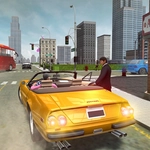
📝City Car Driving Simulator Overview
Slide behind the wheel, fire up the engine, and weave through busy city streets where every intersection tests your nerve.
💬What is City Car Driving Simulator?
You control the car with WASD—no mouse required unless you're fiddling with settings. The first thing I noticed? The throttle isn't an on/off switch. You ease into speed, and that small detail makes cruising feel oddly satisfying. There's no story, no aggressive AI rivals, just you, a grid of streets, and whatever trouble you decide to cause. If you've played proper sims, lower your expectations for tire physics; this is an arcade ride with a city skin, and honestly that's why it works as a quick unblocked session.
Traffic exists but stays sparse enough that you can weave through at speed. I clipped a lamppost once, fully expecting a reset or explosion, but the car just kept rolling with a bent fender—no game over, just consequences. That might annoy players chasing crash cams, but for a low-pressure sandbox it hits the mark. The camera sits behind the car, giving you a decent view of each intersection, though the minimap is small and won't hold your hand. My favorite stretch is the long avenue near the center: you can hit top speed, swerve late, and still brake in time for the cross street. Just don't expect drift mechanics; the steering understeers when you push too hard.
A weird detail I liked: crossing the center line doesn't trigger a ghost car or a police chase—you're free to drive on the wrong side until it becomes inconvenient. That openness makes the city feel less like a mission checklist and more like a place to kill ten minutes. The graphics are plain but readable, so you won't squint at lanes. If you're between classes or meetings, it loads fast, plays instantly, and doesn't punish you for alt-tabbing away.
👥How to Play City Car Driving Simulator
USE WASD FOR PLAYER MOVEMENT.
✨Game Tips
Tap W gently instead of holding it to control speed around corners.
Use the long straight roads to build speed, then brake early for intersections.
Stay in the left lane on wide avenues if you're still learning the turn radius.
Don't bother trying to drift; the handling punishes throttle-heavy cornering.
Lift off W before sharp turns to avoid understeer into walls.
🔧FAQ
Q: Is City Car Driving Simulator free to play?
A: Yes, it runs free in your browser—no payment or subscription required.
Q: Can I play City Car Driving Simulator on mobile?
A: Touch controls are limited; a keyboard is strongly recommended for the best experience.
Q: Do I need to download anything?
A: No download needed. Just open the page and the game starts in your browser.
Q: What are the controls for City Car Driving Simulator?
A: Use WASD to drive: W accelerate, S brake/reverse, A and D steer left and right.
Q: Does this game work on school Chromebooks?
A: Yes, if the site isn't blocked. It's HTML5 so no plugins required.
Q: Is there a multiplayer or race mode?
A: No, it's a single-player free-roam city driving sandbox.