
City Car Parking 3D
Play Count0
Published2022-01-28
Supported DevicesPC
CategoryArcade & Classic
Rating★★★★★5.0Rate this game
📝City Car Parking 3D Overview
Think you can thread a sedan into a tight spot without scraping the paint? City Car Parking 3D tests exactly that—one precise maneuver at a time.
💬What is City Car Parking 3D?
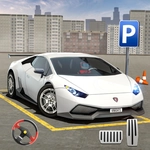
You know that moment when you're circling the block for the fifth time, spot a space, and then realize it's way too small for your car? City Car Parking 3D is basically that anxiety turned into a game. You're behind the wheel of a digital sedan, facing a parking lot full of obstacles, cones, and other vehicles. The controls are straightforward—steer, accelerate, brake, reverse—but the challenge is purely spatial. You have to judge angles, distances, and your car's turning radius as if it were the real thing.
I found myself leaning toward the screen on the harder levels, like physically tilting my head would help the car fit. The game doesn't penalize you with a timer or score attacks; it just asks you to park without hitting anything. That relaxed pacing actually makes it more addictive, because you'll want to retry the same spot over and over until you nail it perfectly. The 3D camera lets you rotate around the car, which is essential for checking your bumper clearance. One tiny misjudgment and you'll hear that horrible crunch—except it's just pixels, so you can reset instantly.
If you're the type who enjoys driving games but hates the chaos of racing, this is a nice palate cleanser. It's all precision, patience, and the quiet satisfaction of perfectly centering your car between two white lines.
👥How to Play City Car Parking 3D
Keyboard Control
✨Game Tips
Use the camera rotate buttons constantly—don't rely on one fixed view.
Reverse into tight spots; it gives you more control over the angle.
Take it slow. Speed only causes scrapes that fail the level.
Line up your side mirrors with the lines before cutting the wheel.
If you hit a cone, reset immediately instead of trying to correct.
Watch the front bumper when turning, not the rear.
🔧FAQ
Q: Is City Car Parking 3D free to play?
A: Yes, it's completely free. No in-game purchases or hidden fees.
Q: Can I play City Car Parking 3D on my phone?
A: It works on most mobile browsers, but keyboard controls are best on desktop.
Q: Do I need to download anything to start?
A: No downloads. It runs directly in your browser as an HTML5 game.
Q: What are the controls for City Car Parking 3D?
A: Arrow keys or WASD to drive, spacebar for handbrake, and mouse or C to rotate camera.
Q: Is there a time limit on parking each car?
A: No timer. You can take as long as you need to park perfectly.
Q: Can I restart a level if I hit a wall?
A: Yes, press R or use the on-screen reset button to try again instantly.