
City Driving
Play Count0
Published2019-07-20
Supported DevicesPC
CategoryAction & Fighting
Rating★★★★★5.0Rate this game
📝City Driving Overview
Cramped parking spots, red-light runners, and a city that never sleeps—your cursor is the only thing keeping you out of the ditch.
💬What is City Driving?
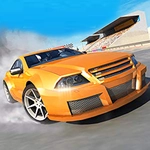
City Driving puts you behind the wheel with only your mouse to keep you alive. No keyboard shortcuts, no gamepad—just your cursor dancing across the screen to steer, accelerate, and brake. The city is a dense grid of one-way streets, impatient AI drivers, and intersections that don't forgive hesitation. You'll weave through traffic, dodge buses, and try not to become a hood ornament.
I'll be honest: the first few runs ended with my car wrapped around a lamppost. The mouse steering feels twitchy until you learn to make tiny, deliberate movements—a full wrist flick at 60 mph is a guaranteed spinout. But once it clicks, there's a strange satisfaction in threading a gap between a taxi and a delivery truck without scratching paint. My favorite moment? Sliding through a yellow light just as cross traffic launched, missing a minivan by what felt like a single pixel. Then I immediately rear-ended a parked car because I was still smiling.
For a free browser game, it packs more tension than it has any right to. No story, no upgrades—just you, the traffic, and the city's merciless physics. It's the kind of game you open for five minutes and lose half an hour to. Don't blame me if your wrist hurts afterward.
👥How to Play City Driving
Controls: Mouse
✨Game Tips
Keep mouse movements microscopic at speed—a tiny nudge changes lanes, a yank spins you out.
Brake before you think you need to; the stopping distance is longer than it looks.
Use crosswalks and lane markings to predict AI drivers' next moves.
If you clip a curb, don't panic-steer. Ease off and straighten gradually.
Red lights are traps. Learn the timing and coast when you see yellow.
🔧FAQ
Q: Is City Driving free to play?
A: Yes, it runs directly in your browser with no paywalls, ads are minimal, and you don't need an account.
Q: Can I play City Driving on my phone or tablet?
A: The mouse controls are designed for desktop, but some mobile browsers simulate touch as a cursor. It's playable but not ideal.
Q: Do I need to download anything to play City Driving?
A: No downloads required. Just open the game page, click play, and you're driving.
Q: How do I steer in City Driving?
A: Move your mouse left or right to turn the wheel. Click and hold to accelerate, release to coast, and right-click or scroll to brake (depending on version).
Q: Is there a way to change the camera view?
A: Some versions let you toggle between hood cam and chase cam with the C key, but the default top-down view works best for mouse steering.
Q: Why does my car keep spinning out?
A: You're likely turning too sharply at high speed. Slow down before corners and make small, smooth mouse adjustments.