
City Driving 3D
Play Count0
Published2021-06-08
Supported DevicesPC
CategoryDriving & Racing
Rating★★★★★5.0Rate this game
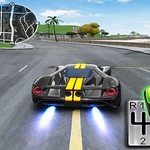
📝City Driving 3D Overview
Weave through traffic, dodge intersections, and see how long you can survive behind the wheel in this free-roam city.
💬What is City Driving 3D?
City Driving 3D drops you into a busy urban grid with nothing but your reflexes and a growing sense of dread as cars pile up around you. You're not racing a clock or chasing checkpoints — you're just driving, lane to lane, trying not to become part of a fender-bender montage. The controls are simple enough: steer with the mouse or keyboard, pick your speed, and remember that red lights are more of a suggestion if you value your paint job.
The real charm is how quickly it turns from a relaxing cruise into white-knuckle chaos. One moment you're gliding past a delivery truck, the next a taxi cuts you off and you're swerving into oncoming traffic. I kept coming back because each run feels different — traffic patterns shift, your own impatience grows, and the near-misses start stacking up like comic relief. There's no tutorial hand-holding, just you, the asphalt, and the occasional pedestrian crossing the road like they own the place.
If you've ever played those old top-down traffic dodgers and thought "I could do this in 3D," this is basically that fantasy. The camera sits behind your car, giving you a decent view of what's ahead, but blind spots are real. You'll learn to glance at side mirrors, or just accept that the bus behind you has no brakes. It's a game about small decisions — speed up to beat that light? brake hard and hope the guy behind you is paying attention? — and the satisfying clunk of a near-collision that somehow doesn't end your run.
👥How to Play City Driving 3D
Use Mouse Or keyboard To Play
✨Game Tips
Don't floor it right away — the first few seconds set your rhythm and show where traffic is clustering.
Use the mouse for finer steering if keyboard feels twitchy; small nudges beat full turns at speed.
Brake earlier than you think for intersections; rear-ending someone is usually worse than a fender scrape.
Stay out of the far right lane unless you're turning — buses and cyclists love to camp there.
If you're about to hit something, swerve toward open road, not toward the sidewalk; pedestrians are run-enders.
Learn the map's tight corners — cutting through parking lots can save you from a jam but adds risk.
🔧FAQ
Q: Is City Driving 3D free to play?
A: Yes, it's completely free in your browser with no paywalls or locked content.
Q: Can I play City Driving 3D on mobile?
A: The game works on mobile browsers, though the mouse steering feels more precise on desktop.
Q: Do I need to download anything to play City Driving 3D?
A: No downloads needed — just open the page and the game loads as HTML5.
Q: What are the controls for City Driving 3D?
A: Use the mouse or arrow keys / WASD to steer and control speed; on mobile there are on-screen buttons.
Q: Is City Driving 3D a racing game or just free driving?
A: It's open-world driving with no checkpoints — you set your own goals, like surviving traffic as long as possible.
Q: Why does my car keep crashing in City Driving 3D?
A: Traffic is unpredictable; slow down at intersections and don't change lanes without checking the space beside you.