
City Minibus Driver
Play Count0
Published2021-07-20
Supported DevicesPC
CategoryAction & Fighting
Rating★★★★★5.0Rate this game
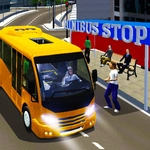
📝City Minibus Driver Overview
Grab a friend, share a keyboard, and see who can actually keep a minibus on the road in this split-screen city mess.
💬What is City Minibus Driver?
Two buses, one keyboard, and a whole city of tight corners. City Minibus Driver throws you and a friend into split-screen chaos where every route feels like a test of patience and parallel parking. Player one uses WASD, player two hammers the arrow keys, and both of you are trying not to flip over on a curb. The first time I tried a handbrake turn at a red light, I sent my bus sideways into a lamp post and still managed to pick up a passenger. That's the beauty of it—the game doesn't punish you for dumb mistakes, it just laughs along with you.
What really got me hooked was the little stuff. The horn has three different sounds (keys 1, 2, and 3), so you can beep politely or lay on a long blast while your opponent reverses into a fire hydrant. If you get stuck or end up on your side, just hit R for player one or O for player two and the bus snaps back upright. The camera button (C) lets you swing the view around, which helps when you're backing into a narrow spot. I ended up using the look-back key (B) more than I expected—there's always a car or a lamppost sneaking up behind you.
It's not a serious driving sim, and that's exactly why it works. You can play solo with the arrow keys if no one else is around, but the real fun is the two-player mode where you're sharing the same screen and trying to out-drive each other. Expect some yelling, a few unfair honks, and at least one person mashing the reset button after a spectacular crash. If you like chaotic local multiplayer with zero setup, this one's worth a few rounds.
👥How to Play City Minibus Driver
PLAYER 1
Move: "W,A,S,D" or (Arrow Keys, If playing single)
Look back: "B"
Fix bus's position: "R"
Handbrake: "SPACE"
Horn: "1,2,3"
Camere: "C"
PLAYER 2
Move: "ARROW KEYS"
Look back: "B"
Fix bus's position: "O"
Handbrake: "RIGHT-S
✨Game Tips
Tap the handbrake (Space) lightly instead of holding it—a quick tap swings the rear around tight corners without spinning you out.
Use the horn keys 1, 2, and 3 to annoy the other driver right before they attempt a tricky turn.
If your bus flips or wedges into a wall, don't waste time reversing—hit R (or O for player two) to reset instantly.
Keep an eye on the opposite side of the screen even when it's not your turn, so you know where the other bus is heading.
Try a solo run with arrow keys first to learn the city layout before jumping into a two-player fight.
🔧FAQ
Q: Is City Minibus Driver free to play?
A: Yes, it's completely free in your browser. No hidden paywalls or downloads.
Q: Can I play City Minibus Driver on mobile?
A: The game needs a keyboard, so mobile touch controls aren't supported. Use a desktop or laptop.
Q: Do I need to download anything?
A: No downloads. It runs right in your web browser as an HTML5 game.
Q: Can two people play on the same computer?
A: Yes, player one uses WASD, player two uses arrow keys. Both share the same screen.
Q: What do the horn keys do?
A: Press 1, 2, or 3 to honk different horns. Mostly for fun, but it can distract your opponent.
Q: How do I reset my bus if it gets stuck?
A: Player one presses R, player two presses O. Your bus will snap back to a safe spot.