
City Parking 2D
Play Count0
Published2021-03-30
Supported DevicesPC
CategoryArcade & Classic
Rating★★★★★5.0Rate this game
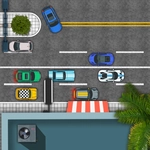
📝City Parking 2D Overview
Slide into tight spots and kiss the curb goodbye — every inch counts in this 2D parking grind.
💬What is City Parking 2D?
I spent a solid half hour on one level because the gap was maybe two pixels wider than my car, and I kept clipping the dumpster. That's City Parking 2D in a nutshell: simple controls, brutal geometry, and that little jolt of victory when you finally slide in without a scratch.
The car handles like a shopping cart with a mind of its own — tap forward and you lurch, hold reverse and you swing wildly. Precision isn't just rewarded, it's mandatory. You'll learn to feather the keys, making micro-adjustments until the car is perfectly aligned. The top-down view gives you a clear read on angles, but depth perception takes a moment to click. Once it does, every parking spot becomes a puzzle you solve with momentum.
It's the kind of game you open for two minutes and close forty minutes later, hands sweaty. Levels range from laughably easy to "who designed this parking lot, a sadist?" There's no timer, so you can breathe, but the lack of a reset button (you just hit the wall and swear) keeps the pressure on. If you like skill games that punish but never cheat, this one's a keeper.
👥How to Play City Parking 2D
>WASD or arrow keys to control car
✨Game Tips
Feather the gas instead of holding it — short taps give you far more control than a full press.
Reverse is your best friend for tight spots; don't force a forward entry if the angle is awkward.
Before moving, study the lot: note the painted lines and any objects that stick out.
Use the car's front bumper as a reference point when judging clearance on sharp turns.
Don't be afraid to restart by gently bumping a wall — it's faster than fighting a bad angle for minutes.
🔧FAQ
Q: Is City Parking 2D free to play?
A: Yes, it's completely free in your browser with no hidden fees.
Q: Can I play City Parking 2D on mobile?
A: Yes, the game runs on mobile browsers, but you'll need an on-screen keyboard or external controller for WASD/arrow input.
Q: Do I need to download anything to play City Parking 2D?
A: No downloads required — just open the page and start parking immediately.
Q: What are the controls for City Parking 2D?
A: Use WASD or arrow keys to drive; no other buttons are needed.
Q: Is City Parking 2D suitable for kids?
A: Absolutely, there's no violence or inappropriate content, just parking challenges.
Q: Can I play City Parking 2D offline?
A: It depends on your browser cache. Loading the page once may allow offline play, but an internet connection is generally required.