
City Racing 3D
Play Count0
Published2023-02-24
Supported DevicesPC
CategoryDriving & Racing
Rating★★★★★5.0Rate this game
📝City Racing 3D Overview
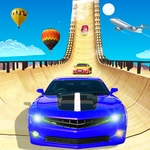
Grip the wheel, weave through dense traffic, and outrun every rival in this blistering 3D street racing showdown.
💬What is City Racing 3D?
I've burned more lunch breaks than I care to admit trying to shave a tenth of a second off my lap times in this thing. You're behind the wheel of a low-slung sports car, and the city doesn't care if you live or die. Arrow keys or WASD get you moving — up to accelerate, left and right to steer, and if you're lucky, space bar for a nitro burst that shoves your speedometer into triple digits. Traffic is relentless. Buses, taxis, random sedans. Near misses give you a tiny speed boost, so you'll find yourself threading gaps that make your palms sweat. Clip a sidewalk, though, and all that momentum vanishes like it was never there.
The AI racers are rude. They'll bump you into walls, cut across your nose, and never apologize. But that's what makes it addictive. Each run feels different because the traffic patterns shift just enough to break your muscle memory. Depending on the version, you might be chasing a checkpoint timer or grinding out three laps against five other cars. The 3D city looks surprisingly sharp for a browser tab — building shadows stretch across the asphalt, and the camera shakes when you hit top speed. That shake is the moment. You hold nitro on a straightaway, the screen vibrates, and for a second you forget you're playing in a Chrome window.
It's not a sim, so don't expect realistic physics. It's arcade through and through: forgiving drifts, instant acceleration, and crashes that just slow you down instead of wrecking you. That's why you'll keep coming back. One more run to beat the best time, one more corner to perfect your line. If you've got five minutes or fifty, City Racing 3D will eat them alive.
👥How to Play City Racing 3D
Keyboard Controls
✨Game Tips
Tap the brake early for sharp corners — sliding wide loses more time than slowing down.
Hold nitro for long straightaways, not when you're about to brake hard.
Near misses on traffic build combo boosts, but don't gamble on the last lane.
Try both arrow keys and WASD to find the steering sensitivity that feels right.
Watch upcoming turn indicators or minimap if available; knowing the next corner is half the battle.
Don't restart immediately after a bad lap — traffic patterns can shift in your favor.
🔧FAQ
Q: Is City Racing 3D free to play?
A: Yes, it's completely free in your browser with no hidden paywalls.
Q: Can I play City Racing 3D on my phone?
A: Yes, it works on mobile browsers, though keyboard controls are better on desktop.
Q: Do I need to download anything?
A: No download needed. Just open the page and start driving.
Q: What are the controls for City Racing 3D?
A: Use arrow keys or WASD to steer and accelerate. Space bar often triggers nitro.
Q: Does City Racing 3D work at school?
A: Yes, it's unblocked and runs fine on most school networks.
Q: Can I play City Racing 3D offline?
A: No, you need an internet connection because the game loads in your browser.