
City Run 3D
Play Count0
Published2022-03-11
Supported DevicesPC
CategoryArcade & Classic
Rating★★★★★5.0Rate this game
📝City Run 3D Overview
Sprint through neon-lit streets, dodge speeding cars, and leap over subway barriers — City Run 3D turns your reflexes into pure survival.
💬What is City Run 3D?
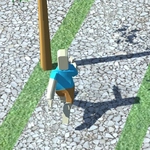
City Run 3D drops you onto a busy urban street where every second is a near miss. You're constantly moving forward — no pause button, no rewind. A and D shift you left and right across three lanes, W jumps over barriers and low obstacles, and S slides under hanging signs or narrow gaps. The first time a dump truck swerves into your lane while you're mid-air between two rooftop gaps, you'll understand why this game has a death grip on arcade fans. It's simple on paper, but the timing windows get brutally tight after the first couple hundred meters.
What surprised me is how much the camera angle matters. The 3D perspective tilts and sways as you dodge traffic, so you genuinely feel the momentum. The cityscape scrolls past — neon signs, crosswalks, the occasional food cart that becomes a launchpad if you hit it right. There's no story, no power-ups to hoard; it's just you, the pavement, and a score counter that ticks higher the longer you survive. I kept coming back after stupid deaths, convinced I could squeeze out fifty more meters if I just timed that bus lane better.
For a browser game, City Run 3D respects your time. Rounds last minutes, not hours, and restarting is instant. It's perfect for a five-minute break between classes or while waiting for a download. The difficulty ramps up gradually — at first you'll think it's easy, then a taxi cuts across all three lanes and you'll be humbled. If you're into endless runners with actual tension, this one's worth a shot.
👥How to Play City Run 3D
"AD" = LEFT AND RIGHT , "WS" = JUMP AND DOWN.
✨Game Tips
Keep your eyes on the horizon, not your character — traffic spawns far ahead so you can plan your lane changes early.
Don't overuse jump; sometimes sliding under a barrier is safer than trying to clear it with imperfect timing.
Memorize the rhythm of each obstacle pattern, especially the double buses that force you into the middle lane.
If you're about to clip a car, don't panic — tap the opposite direction once, not repeatedly, to recover.
Play with sound on if you can; the engine roar of oncoming traffic gives you an extra half-second warning.
🔧FAQ
Q: Is City Run 3D free to play?
A: Yes, it's completely free in your browser with no hidden paywalls or account requirements.
Q: Can I play City Run 3D on my phone?
A: The game works on most mobile browsers, but physical arrow keys give you better precision than a touchscreen.
Q: Do I need to download or install anything?
A: No installs needed. It runs right in your web browser as an HTML5 game.
Q: What are the controls for City Run 3D?
A: Use A and D to move left and right, W to jump, and S to slide or duck under obstacles.
Q: Why does my character die so quickly?
A: The hitboxes are tight. You need to time lane changes and jumps precisely, especially around trucks and low signs.
Q: Can I pause mid-run or save my progress?
A: There's no save feature. Each run is a fresh start, but pausing may be available via the browser's tab switch.