
City Scooter Ride Coloring
Play Count0
Published2020-03-27
Supported DevicesPC + Mobile
CategoryArcade & Classic
Rating★★★★★5.0Rate this game
📝City Scooter Ride Coloring Overview
Grab your digital crayons, pick a scooter scene, and splash every corner of the city with color until it looks too good to ride through.
💬What is City Scooter Ride Coloring?
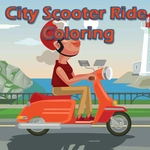
City Scooter Ride Coloring doesn't try to be anything fancy, and honestly that's why I kept opening it. You get a handful of city scenes—park paths, sidewalk stretches, maybe a scooter parked by a bench—and a palette of colors that's just begging to be used. The drawing tools are simple: click a shade, then click an area to fill it. Some spots are small enough that a steady mouse hand helps, but there's zero pressure. I found myself spending way too long deciding whether a scooter should be neon green or classic red. Spoiler: neon green won.
The part that stands out is how relaxed the whole thing feels. There's no timer, no score, no wrong answers. You can recolor the same section five times if the mood strikes. The line art is clean enough that kids can handle it, but the scenes have enough little details—bricks, spokes, helmet straps—that adults won't get bored after two minutes. It's the kind of game you'd leave open on a tablet for a younger sibling and then catch yourself reaching for.
If you're expecting a racing game because of the name, this isn't that. It's a coloring book first. The scooter is just the star of the artwork. Still, there's a tiny bit of satisfaction in finishing all the scenes and scrolling back to compare your color choices with a friend. I wish there were more pages, but for a free browser game it hits the sweet spot between brainless and creative.
👥How to Play City Scooter Ride Coloring
Use your mouse to play or tap on the screen!
✨Game Tips
Work from largest areas to smallest so you don't accidentally smudge while filling tiny spokes.
Click the same spot twice to remove a color if you change your mind before moving on.
Use contrasting colors for the scooter and background so the ride actually pops.
Zoom in with your browser if you're on a laptop and the small sections feel fiddly.
Don't worry about staying inside the lines; the game fills areas automatically with click-to-fill.
Try an all-neon palette at least once—it makes the city look like a midnight arcade.
🔧FAQ
Q: Is City Scooter Ride Coloring free?
A: Yes, it's completely free to play in your browser without any payment.
Q: Do I need to download anything?
A: No downloads are required. The game runs on HTML5 in any modern browser.
Q: Can I play City Scooter Ride Coloring on mobile?
A: Yes, it supports tap controls on touchscreen phones and tablets.
Q: What age group is this game suitable for?
A: It's suitable for all ages, especially kids and casual players who enjoy coloring.
Q: Does the game save my colored pictures?
A: It doesn't save progress, but you can take a screenshot to keep your artwork.
Q: Do I need a mouse to play?
A: A mouse works best on desktop, but you can also tap the screen on mobile devices.