
City Simulator
Play Count0
Published2024-03-08
Supported DevicesPC
CategoryDriving & Racing
Rating★★★★★5.0Rate this game
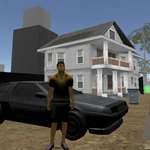
📝City Simulator Overview
Grab the nearest car, hold Shift to blast through intersections, and punch anyone dumb enough to block your lane — this city won't fight back.
💬What is City Simulator?
I spent my first ten minutes in City Simulator just running over pedestrians with a stolen sedan, then hopping out to throw haymakers at a cop who had the audacity to chase me. That's the whole loop, and honestly? It's a blast. You've got a surprisingly large map, a handful of vehicles, and a basic combat system that feels janky in the best way. The controls are simple: WASD or arrows to move, Shift or the on-screen icon to sprint, E to attack, and F to get in or out of cars. No cutscenes, no story, no hand-holding. Just you, the streets, and whatever chaos you want to cause.
The driving is loose but fun. Cars don't have weighty physics, but they're fast enough to feel dangerous when you're weaving between trucks and buses. I discovered you can't punch from inside a car, but you can shoot if you time it right, since E covers both melee and ranged attacks. It's not deep, but the loop of stealing a ride, causing a pileup, and bailing out to brawl with pedestrians keeps pulling me back. Health pickups are scattered around, so you can survive longer than you'd expect if you know where to look.
If you're after a polished GTA clone, this isn't it. But if you want a free, browser-based city sandbox where you can treat traffic laws like suggestions and punch a guy off his motorcycle, City Simulator scratches that itch. It's the kind of game you open for five minutes and accidentally play for an hour. The map is big enough to get lost in, and there's something satisfying about finding a sports car, hitting top speed, and launching off a ramp into a building. I kept coming back just to see how much mayhem I could cause before the cops became a real problem.
👥How to Play City Simulator
Navigate using the WASD keys or the Arrow keys. Accelerate your movement by pressing the Left Shift or by tapping the running icon. Employ the E key for punching or shooting actions. Press the F key to get into a car. To execute continuous punches and ki
✨Game Tips
Hold Shift to sprint, but be ready to tap F as you pass a car — you'll hop in instantly.
Use E to punch pedestrians so you can steal their ride when no empty car is nearby.
Keep an eye out for health pickups; they often sit near bus stops and parks.
Cause pileups at intersections — other drivers will fight back and give you cover.
Don't stay on foot too long; cops swarm fast, and a fast car is your best escape.
🔧FAQ
Q: Is City Simulator free to play?
A: Yes, it's completely free in your browser. No hidden charges.
Q: Can I play City Simulator on mobile?
A: Yes, the on-screen controls work on touch devices, though a keyboard is smoother.
Q: Do I need to download anything for City Simulator?
A: No download needed. It runs directly in your web browser as an HTML5 game.
Q: What are the controls in City Simulator?
A: WASD or arrows to move, Shift or tap the running icon to sprint, E to punch or shoot, F to enter cars.
Q: Does City Simulator have multiplayer?
A: No, it's a single-player sandbox. You cause chaos on your own.
Q: Can I play City Simulator on a school computer?
A: Yes, if the site is unblocked, it works on most school networks without installation.