
Classic Bowling HD
Play Count0
Published2021-05-07
Supported DevicesPC
CategoryArcade & Classic
Rating★★★★★5.0Rate this game
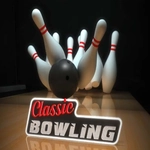
📝Classic Bowling HD Overview
Line up your shot, read the oil pattern, and put some spin on the ball — Classic Bowling HD delivers that satisfying strike feeling without the rental shoes.
💬What is Classic Bowling HD?
You know that half-second when the ball leaves your hand and everything goes quiet? Classic Bowling HD nails it. This is the arcade-style bowling game you'd blow quarters on if it had a cabinet, but it's running right in your browser. You line up your approach, adjust your angle, and release with a flick or click depending on how you play. The lane feels slippery in the right way, and the pins have real weight when they scatter.
The real hook is learning the lane. Early on I kept throwing what looked like perfect straight shots and leaving the 10-pin smirking in the corner. Then I started sliding my aim a couple boards left and adding just a whisper of hook at the release. Suddenly the pocket opened up and strikes stopped being lucky accidents. That's the kind of tiny adjustment you'll chase for an hour. The HD part isn't just marketing — the polished wood, the reflection of the overhead lights, and the way the ball spins as it travels all make it feel surprisingly tangible for a browser game.
There's no career mode or upgrade tree to grind, and honestly that's refreshing. You show up, roll frames, chase a new personal best, and maybe lose a 200 game to a nasty split in the ninth. It's simple enough to play one-handed during a break, but the ball physics keep it from feeling like a mobile cash grab. For anyone who misses Saturday morning league or just wants to knock down some pins without leaving the couch, this scratches that very specific itch.
👥How to Play Classic Bowling HD
Mouse, Click, Arrows
✨Game Tips
• Aim for the pocket between the 1 and 3 pins (righties) instead of dead center.
• Add a little late hook by curving your mouse at release, not during the entire swing.
• If you keep leaving the 10-pin, move your starting position slightly left or right before you roll.
• Watch the lane markings — they're not cosmetic, they help you line up repeat shots.
• Don't max out power on every throw; a controlled 70% roll often carries better through the deck.
• On spares, aim at the side of the pin you want to knock toward the others, not straight at it.
🔧FAQ
Q: Is Classic Bowling HD free to play?
A: Yes, it's completely free in your browser with no paywall or time limits.
Q: Can I play Classic Bowling HD on my phone?
A: It works on mobile browsers since it's HTML5, though a mouse gives you more precise control.
Q: Do I need to download anything to play?
A: No download or install is needed. Just load the game and start rolling.
Q: What are the controls for Classic Bowling HD?
A: Use your mouse to aim and click to set power and spin, or use arrow keys to adjust your line.
Q: Does Classic Bowling HD save my high scores?
A: Progress is stored locally in your browser, so clearing cache may reset your best scores.
Q: Is Classic Bowling HD unblocked at school?
A: Since it's a browser-based HTML5 game, it usually works on school networks that allow unblocked games.