
Classic Minesweeper
Play Count0
Published2021-08-20
Supported DevicesPC + Mobile
CategoryPuzzle & Thinking
Rating★★★★★5.0Rate this game
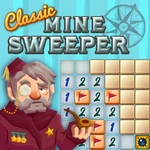
📝Classic Minesweeper Overview
Flag every hidden mine before one careless click blows the board apart—the numbers reveal their positions if you read them right.
💬What is Classic Minesweeper?
Minesweeper is the puzzle game I keep coming back to when I want my brain to actually work for it. You get a grid of gray tiles, some hiding mines, most hiding nothing. Your job is to open every safe tile without touching a bomb. Left-click one and it reveals either a number—how many mines sit in the eight squares around it—or a blank space that cascades open a whole chunk of the board. That first safe click matters more than people think. It usually opens up enough of the field to start piecing together where the danger is.
The real game happens between your ears. A tile showing “3” with two flags already next to it means exactly one of its remaining neighbors is a mine. You start deducing, eliminating, marking. Right-click places a little flag. It’s so simple that it sounds boring, and then you lose 20 minutes to the same board because you made one sloppy assumption near the corner. I still remember clearing a 99-mine Expert board for the first time—my mouse hand was sweating on the last 2 squares, both of them a coin flip, and I got lucky. That tension is the whole appeal. The mobile version works with tap and long-press, so you can play the same mind games on a phone screen without dragging a mouse.
👥How to Play Classic Minesweeper
you can enjoy solving problems wether from a computer or mobiles devices.
✨Game Tips
Start by clicking a corner or edge: fewer neighboring tiles means fewer chances to hit a mine early.
Use right-click (or long-press on mobile) to flag every certain mine before you click elsewhere.
Pay attention to “1” tiles: if one flag already touches it, every other neighbor is safe to open.
Don’t rush into 50/50 guesses—look for another area of the board that’s still solvable first.
If you open a blank area, work outward from its edges where numbers give the most information.
After a mistake, restart immediately; the classic grid regenerates fast so you keep your deduction rhythm.
🔧FAQ
Q: Is Classic Minesweeper free to play?
A: Yes, it runs free in your browser—no paywalls, accounts, or extra fees.
Q: Do I need to download anything to play?
A: No downloads or installs. Just open the page and the grid loads instantly in HTML5.
Q: Can I play Classic Minesweeper on my phone?
A: Yes, tap to reveal tiles and long-press to place flags. It works on mobile and desktop browsers.
Q: What happens if I click a mine?
A: The board explodes and the round ends. You can restart right away and try a new layout.
Q: Is there a way to mark tiles I think are mines?
A: Right-click on desktop or long-press on mobile to drop a flag, then use it to track your deductions.
Q: Does the game have different difficulty levels?
A: You can choose from smaller beginner grids up to larger expert boards with more mines.