
Climber Draw
Play Count0
Published2021-02-22
Supported DevicesPC
CategoryAction & Fighting
Rating★★★★★5.0Rate this game
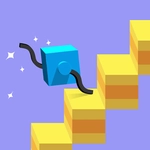
📝Climber Draw Overview
Draw a line with your mouse and watch a tiny stick figure scramble up it like a mountain goat — one wrong angle and he’s toast.
💬What is Climber Draw?
Climber Draw doesn't waste time explaining itself. You get a paper-white canvas, a little climber dude standing at the bottom, and a simple instruction: draw something he can climb. So I drew a diagonal line. He scampered up, arms swinging, until he hit a gap I'd accidentally left. Down he went. Restart. That's the loop, and it's weirdly satisfying.
The trick? Your line isn't just a path — it's physical. Draw too steep and he slides back. Draw too thin and it breaks under his weight. The game quietly teaches you about angles and momentum without a single tutorial popup. I spent a good ten minutes just drawing zigzags to see how high I could get him before the inevitable plummet. Then you start planning: a long upward slope to build speed, then a short vertical wall to launch off. It's like a mini parkour puzzle where the pen is your only tool.
But don't let the minimalist art fool you. Later levels introduce moving platforms, spikes, and even wind that pushes your drawing. You'll redraw, erase, redraw again — and curse when your line bends just a millimeter off. It's frustrating in the best way. If you like line-rider physics or scribbling your way out of a problem, this one's a hidden gem. I came for five minutes, stayed for forty.
👥How to Play Climber Draw
Any drawing will make you run
✨Game Tips
Start with a gentle slope, not a vertical line. Steep climbs make him slide back.
Use short quick strokes for control. Long drawn-out lines are harder to fix.
Watch where his hands are before you draw the next segment — he grabs at the tip of your last stroke.
If he's falling, quickly draw a platform underneath him. Sometimes you can save a run.
Don't be afraid to erase and redraw a section instead of starting over.
In later levels, draw above the spikes, not through them.
🔧FAQ
Q: Is Climber Draw free to play?
A: Yes, it's completely free in your browser. No hidden fees or premium walls.
Q: Can I play Climber Draw on my phone?
A: The game works best with a mouse or touchscreen, so most mobile browsers support it fine.
Q: Do I need to download anything to play Climber Draw?
A: No downloads. Just open the page and start drawing.
Q: What are the controls for Climber Draw?
A: Click and drag with your mouse (or finger on touchscreens) to draw lines and shapes.
Q: How hard is Climber Draw?
A: It starts easy but gets tricky after a few levels. The physics require some trial and error.
Q: Does Climber Draw save my progress?
A: Most unblocked versions don't save between sessions, but you can usually replay any level.