
COD Duty Call FPS
Play Count0
Published2025-07-02
Supported DevicesPC + Mobile
CategoryShooting
Rating★★★★★5.0Rate this game
📝COD Duty Call FPS Overview
Lock and load for fast-paced military firefights where every corner hides an enemy and your trigger finger decides who walks away.
💬What is COD Duty Call FPS?
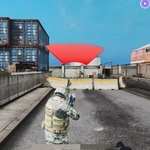
Here's the deal: you spawn into a compact military map, grab whatever weapon's in front of you, and start clearing rooms. The movement is pure browser FPS—WASD to strafe, mouse to aim, shift when you need to haul ass out of a crossfire. It's not a AAA Call of Duty clone, but it scratches that same itch when you've got ten minutes and don't want to install anything.
What caught me off guard was how aggressive the bots actually are. I rounded a corner on the second match expecting them to stand around like targets, and instead got lit up by three guys flanking from a staircase. That forced me to slow down and start checking my angles, peeking doorways, using sprint to reposition instead of just rushing. One thing I learned early: don't stand still after a kill. The bots converge on your last known position fast, so fire two or three shots and move. The sprint feels almost too generous; you can cross the map in seconds, which makes flanking stupidly fun.
The game doesn't pretend to be more than it is—a quick, free, browser-based FPS with military skins and respawns. If you're looking for deep progression or loadouts, this ain't it. But for a fast round of run-and-gun where death just means hitting space to jump back in, it absolutely works. The audio feedback—reload clicks, gunfire echo—gives it enough punch to keep the adrenaline up. I kept coming back between classes to see if I could beat my streak.
👥How to Play COD Duty Call FPS
WASD - move
Space - jump
mouse - aim and shoot
shift - run
✨Game Tips
Always keep moving after you shoot; the bots track your last location and will swarm it.
Bind your fingers early: left hand on WASD and shift, right hand on mouse—sprinting while aiming is your best escape tool.
Peek corners instead of charging; a quick strafe left or right around a doorway shows you if anyone's waiting.
Aim for the chest first, then ride the recoil up to the head; most rifles have enough climb to finish them.
Use the jump to break line of sight when you're caught reloading; it won't always save you, but it's better than standing still.
Don't camp in one spot for too long—the spawns are quick and you'll get surrounded.
🔧FAQ
Q: Is COD Duty Call FPS free to play?
A: Yes, it's completely free in your browser with no account or payment required.
Q: Can I play on mobile?
A: The game is designed for keyboard and mouse, so mobile play isn't recommended. A desktop browser gives the best experience.
Q: Do I need to download anything?
A: No downloads or installs. Just open the page and the game loads instantly in HTML5.
Q: What are the controls?
A: Use WASD to move, mouse to aim and shoot, Space to jump, and Shift to sprint.
Q: Is COD Duty Call FPS safe for school?
A: It's a shooting game with combat violence, but there's no blood or gore. Many school networks block game sites though.
Q: Can I play with friends?
A: This version is single-player against AI bots, so no multiplayer or co-op mode is available right now.