
Color Blocks 2
Play Count0
Published2021-03-11
Supported DevicesPC + Mobile
CategoryArcade & Classic
Rating★★★★★5.0Rate this game
📝Color Blocks 2 Overview
One well-placed click sends an arrow screaming across the grid—paint every empty block before the board turns into a rainbow mess.
💬What is Color Blocks 2?
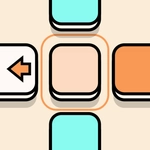
Color Blocks 2 throws you onto a grid that's part empty canvas, part Rubik's cube. You've got a handful of solid squares scattered around—tap one and a sharp little arrow zips out, coloring any blank tiles in its path. The trick? That arrow only paints tiles matching the block you clicked, so if a red arrow hits a blue zone, it stops dead. I spent my first few rounds clicking at random and ended up with a checkerboard of half-finished colors. Once you slow down and treat each tap like a chess move, the whole thing clicks. Works with a mouse or your finger on a touchscreen; no complicated inputs, just point and click.
There's no timer breathing down your neck, which is nice—you can sit back and map out a route. The levels ramp up gently: early boards give you four or five blocks, later ones stack colors on top of each other like a Jenga tower. I kept coming back to the same level for ten minutes because I refused to accept that I'd boxed myself in. The arrow animation is satisfying—a little whoosh and the block flips color. I almost cheered when I finally cleared a board that had been taunting me with one stubborn purple block in the corner. That's the hook: every mistake feels fixable until it isn't. If you're into quick puzzle sessions that don't demand a PhD, this one's a solid lunch break pick.
👥How to Play Color Blocks 2
Click/Touch filled blocks to launch an arrow that colors the empty blocks.
✨Game Tips
Start from the outside edges—corner blocks force arrows to travel farther and cover more blank tiles.
Don't just click every block you see. Look for a color that can chain through a long open stretch.
If you mess up, the restart button is your friend. It's faster than trying to fix a tangled board.
Pay attention to where arrows stop. A red arrow dies on a blue block, so clear those colors in the right order.
On touchscreens, tap lightly—fat-finger misclicks waste a move and can leave you stuck.
🔧FAQ
Q: Is Color Blocks 2 free to play?
A: Yes, completely free in your browser. No paywalls or hidden fees.
Q: Can I play Color Blocks 2 on mobile?
A: Absolutely. The game supports touch controls, so it works great on phones and tablets.
Q: Do I need to download anything to play?
A: No downloads needed. Just open the game page and it runs instantly in your browser.
Q: What if the game doesn't load on my computer?
A: Try refreshing the page or switching to a modern browser like Chrome or Firefox.
Q: How do I restart a level?
A: Look for a restart icon on the game screen or simply reload the page to start fresh.
Q: Is there a way to undo a move?
A: There's no undo button, so plan each click carefully before firing your arrow.