
Color By Number With Frozen II
Play Count0
Published2021-01-27
Supported DevicesPC + Mobile
CategoryGirls & Lifestyle
Rating★★★★★5.0Rate this game
📝Color By Number With Frozen II Overview
Pick up your virtual crayons and bring Anna, Elsa, and the rest of Arendelle to life one numbered cell at a time.
💬What is Color By Number With Frozen II?
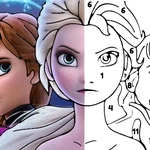
If you've got a kid who's obsessed with Frozen II (or you secretly still hum 'Into the Unknown' in the shower), this color-by-number game is a surprisingly chill way to spend ten minutes. You see a black-and-white scene from the movie — Elsa on the bridge, Anna laughing, maybe Olaf doing something goofy — and every shape has a tiny number inside. Pick a color from the palette that matches that number, click the shape, and watch the picture slowly fill in. It's basically paint-by-numbers, but with the soundtrack playing in your head.
What I actually like about this one is how it handles mistakes. There's no timer, no score penalties, and you can click the same spot as many times as you want. If you accidentally color Elsa's cape green, just tap it again with the right shade. That makes it perfect for younger kids who are still figuring out mouse control or touchscreens — my niece would've rage-quit three times if there was a countdown. The Frozen II theme keeps the scenes recognizable, so there's a nice little dopamine hit when you finish a section and realize, oh, that's the waterfall from the movie.
The only gripe I have is the number font can get a little small on some of the detailed backgrounds, especially on a phone. Zoomed-out areas with tiny shapes mean you'll occasionally tap the wrong cell. But that's what the zoom or reset buttons are for (if available). Honestly, for a free unblocked game, it's a solid, quiet activity — good for winding down after school or during a lunch break when you just need to color something blue.
👥How to Play Color By Number With Frozen II
Mouse or tap to play.
✨Game Tips
Start with the largest areas first; they're easier to click and give you a quick sense of progress.
If you're on a phone, use two fingers to zoom in on tiny numbered cells so you don't mis-tap.
Keep the color palette open next to the picture; you'll spend less time scanning for the right shade.
Don't worry about making mistakes — there's no penalty for re-clicking a cell with the correct color.
Save screenshots of finished scenes; they make fun phone wallpapers or little rewards for kids.
🔧FAQ
Q: Is Color By Number With Frozen II free to play?
A: Yes, the game is completely free and runs right in your browser with no hidden charges.
Q: Can I play this on a mobile device?
A: Absolutely. It works on phones and tablets using touch controls, though small numbers may need zooming.
Q: Do I need to download anything to start coloring?
A: No download needed. Just open the page and the game loads instantly.
Q: Is this game suitable for young children?
A: Yes, it's designed for kids and has no violence, timers, or stressful elements.
Q: What if I color the wrong number by accident?
A: Simply tap or click the same cell with the correct color — there's no penalty for mistakes.
Q: Are there other Frozen II scenes to unlock?
A: You can usually select different images from a gallery, each with its own numbered coloring page.