
Color Connect Master
Play Count0
Published2025-09-15
Supported DevicesPC + Mobile
CategoryPuzzle & Thinking
Rating★★★★★5.0Rate this game
📝Color Connect Master Overview
Stare at a board full of colored dots and figure out how to link each matching pair without letting a single path overlap — that's the whole game.
💬What is Color Connect Master?
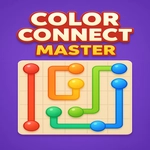
Color Connect Master looks deceptively simple at first: a grid with a handful of colored dots scattered around, and you drag from one dot to its matching twin to create a path. The trick is that paths can't cross, and every single cell on the board has to be used up by the time you're done. What starts as a relaxing little brain teaser quickly turns into a game of careful planning, because that blue line you drew three moves ago might block the only route for the yellow dots later. The board sizes grow, colors pile up, and suddenly you're staring at a 9x9 grid wondering how the hell you're supposed to snake six different paths through without a single overlap.
I kept coming back to specific boards after messing up a connection, because the solution always felt just out of reach. There's no timer, no move limit, no enemies — just you, the board, and a puzzle that dares you to think three steps ahead. Some players treat it like a fill-in-the-grid logic puzzle: start with the most constrained dots, corner pairs, or colors that sit close to the edge. Others just brute force it with trial and error. Either way, the satisfying moment comes when you drag that final connection and every square lights up.
Controls are mouse-only for PC, which makes it perfect for quick sessions between classes or while waiting for something to load. The minimal visuals keep the focus on the colors, and the whole thing runs smoothly in any browser. It's the kind of hypercasual game that's easy to pick up but hard to put down, especially when you're one line away from finishing and need to rewire half the board.
👥How to Play Color Connect Master
mouse for pc users,
✨Game Tips
Work from the edges inward — corner dots often have fewer possible paths, so lock them down first.
Try to visualize the full grid before you drag; a wrong turn early can force a restart.
Use longer detours for colors that aren't blocking anything, saving straight lines for tight spots.
If you get stuck, undo your last few moves instead of clearing the whole board.
Bigger boards reward filling clusters of same color together before crossing other paths.
🔧FAQ
Q: Is Color Connect Master free to play?
A: Yes, the game is completely free in your browser with no paywalls or hidden fees.
Q: Can I play Color Connect Master on mobile?
A: It works best with a mouse on desktop, but the HTML5 version may support touch dragging on tablets.
Q: Do I need to download or install anything?
A: No download needed. It runs right in your web browser on any page hosting the game.
Q: Is there a time limit for solving each puzzle?
A: No timer or move limit — take as long as you need to plan every path.
Q: What happens if I overlap two colored lines?
A: The line won't stick, and you'll need to redraw that connection from the start point.
Q: Are there different difficulty levels?
A: Yes, boards get larger and add more colors as you progress, ramping up the challenge.