
Color Cube Flip
Play Count0
Published2021-03-29
Supported DevicesPC
CategoryPuzzle & Thinking
Rating★★★★★5.0Rate this game
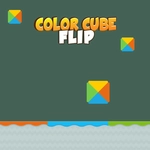
📝Color Cube Flip Overview
Flip, twist, and spin colorful blocks until every face matches and the board locks into a satisfying cascade of perfect order.
💬What is Color Cube Flip?
I thought Color Cube Flip would be a casual time-waster. Then level 14 happened and I realized it's actually a surprisingly devious little spatial reasoning test. Each stage hands you a cube with scrambled color faces and asks you to tap individual tiles to flip them around until the whole puzzle matches a reference pattern. Sounds simple. It is not always simple. The twist is that flipping one side often nudges its neighbors, so you're constantly planning two or three moves ahead.
The cube is rendered in clean 3D with bold, chunky colors that are easy to read at a glance — no squinting required. Controls are just tap-based, so it plays fine on a phone with one thumb. What I like most are the tiny 'aha' moments when you spot a sequence of flips that locks an entire face into place at once. There's no timer, no move counter, and no punishing fails, which keeps it meditative rather than stressful. If you get stuck, you can usually backtrack by tapping the opposite order. Around level 20, I started rotating the cube mentally before touching anything, which is a sign the game is doing its job.
Later levels introduce cubes with more faces visible at once and color combinations that mess with your brain's autopilot. You'll catch yourself flipping a tile only to realize the adjacent face just shifted, and that's when the real puzzle begins. It's not a huge epic, but it's a perfect pocket puzzle for a five-minute break — or a thirty-minute rabbit hole if you're stubborn. Don't blame me when you lose track of time.
👥How to Play Color Cube Flip
Tap of the colors that are on the screen to play this game.
✨Game Tips
Study the target pattern first; don't tap randomly hoping for luck.
Flipping a side can shift adjacent tiles, so practice predicting the ripple effect before you commit.
If you're stuck, undo your last few taps in reverse order rather than starting the level over.
Use the corner tiles as anchors — once they match, you can plan around them.
On mobile, tap with your dominant thumb and keep the cube's near face fully visible to avoid mis-taps.
Don't rush: there's no timer, so take a breath and count your flips.
🔧FAQ
Q: Is Color Cube Flip free?
A: Yes, it's completely free to play in your browser.
Q: Can I play Color Cube Flip on mobile?
A: Absolutely. The tap controls work great on any touchscreen phone or tablet.
Q: Do I need to download anything to play?
A: No downloads or installs. Just open the game page and start flipping.
Q: Does Color Cube Flip have a timer?
A: No timer or move limit. You can play at your own pace.
Q: What if I get stuck on a level?
A: Tap tiles in reverse order to undo. Most stages can be solved by backtracking.
Q: Is Color Cube Flip suitable for kids?
A: Yes, it's colorful and non-violent, great for spatial thinking practice.